FocusMode.
Productivity app
I designed and built FocusMode end to end: the native SwiftUI app, the Supabase backend (auth, database, edge functions, realtime) and the integrations. A tool that works just as well for a product roadmap, a marketing launch or a thesis — and that, under the hood, hides serious challenges: verified StoreKit subscriptions, Gemini AI and a GitHub sync engine.
The problem
Productivity apps force a trade-off: either they’re minimal and fall short, or they do everything and overwhelm you. And almost none adapt to you — the same rigid app to manage a roadmap, plan a launch or write a thesis.
The thesis
One app that molds to how you work. Where tasks, habits, focus (Pomodoro) and finances live together, native and with iOS 26 polish — and where the color, the projects and the pace are yours. One that serves a product team, a marketer or a grad student alike.
The solution
FocusMode is a native SwiftUI productivity suite for iPhone and iPad. A full hierarchy —area, project, section, task, subtask—, habits with analytics, a Pomodoro timer wired to Apple Music, finances with connected banking, a configurable theme, and all of it real-time on Supabase. And local-first: the interface answers before the network does.
Everything inside
- ✓Areas, projects, sections, tasks and subtasks
- ✓4 priority levels, pinning and per-task comments
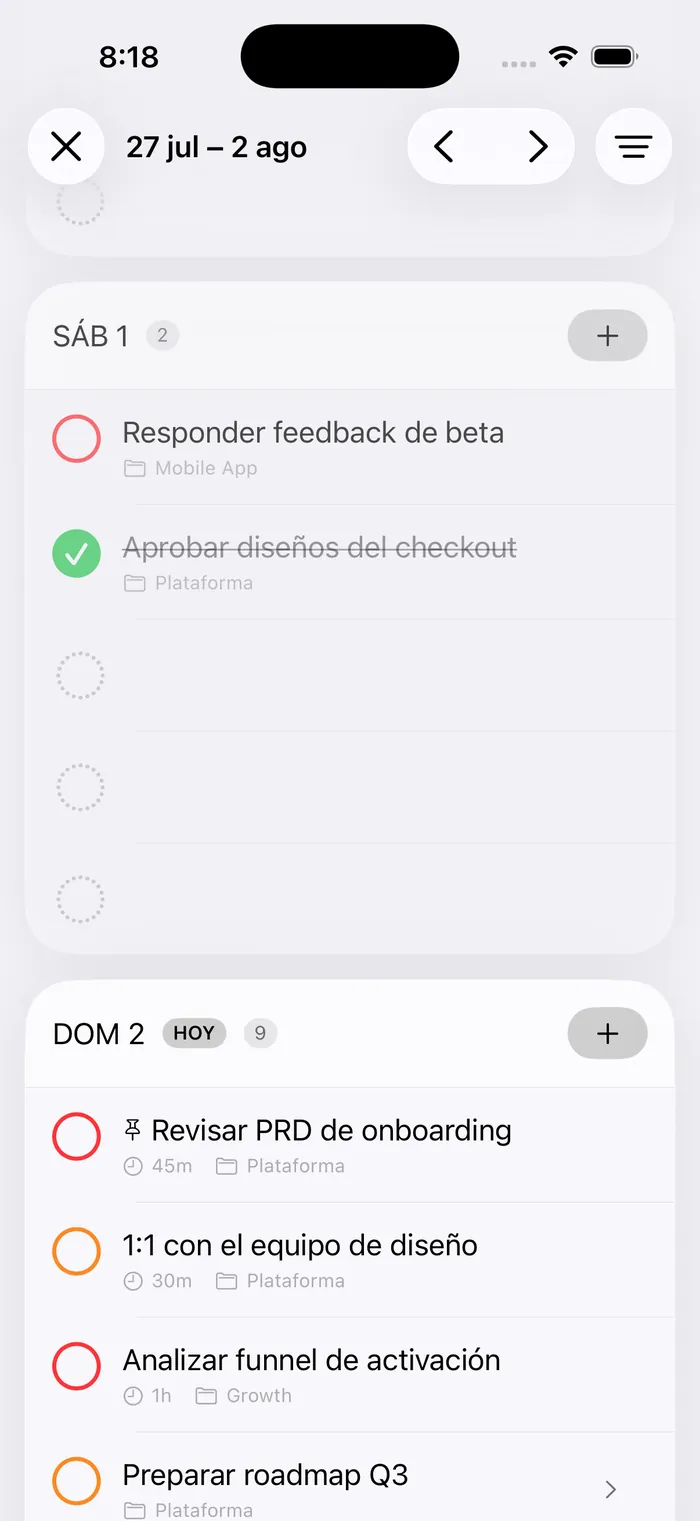
- ✓Today view with week navigator and inbox
- ✓Habits and routines with frequency, reminders and analytics
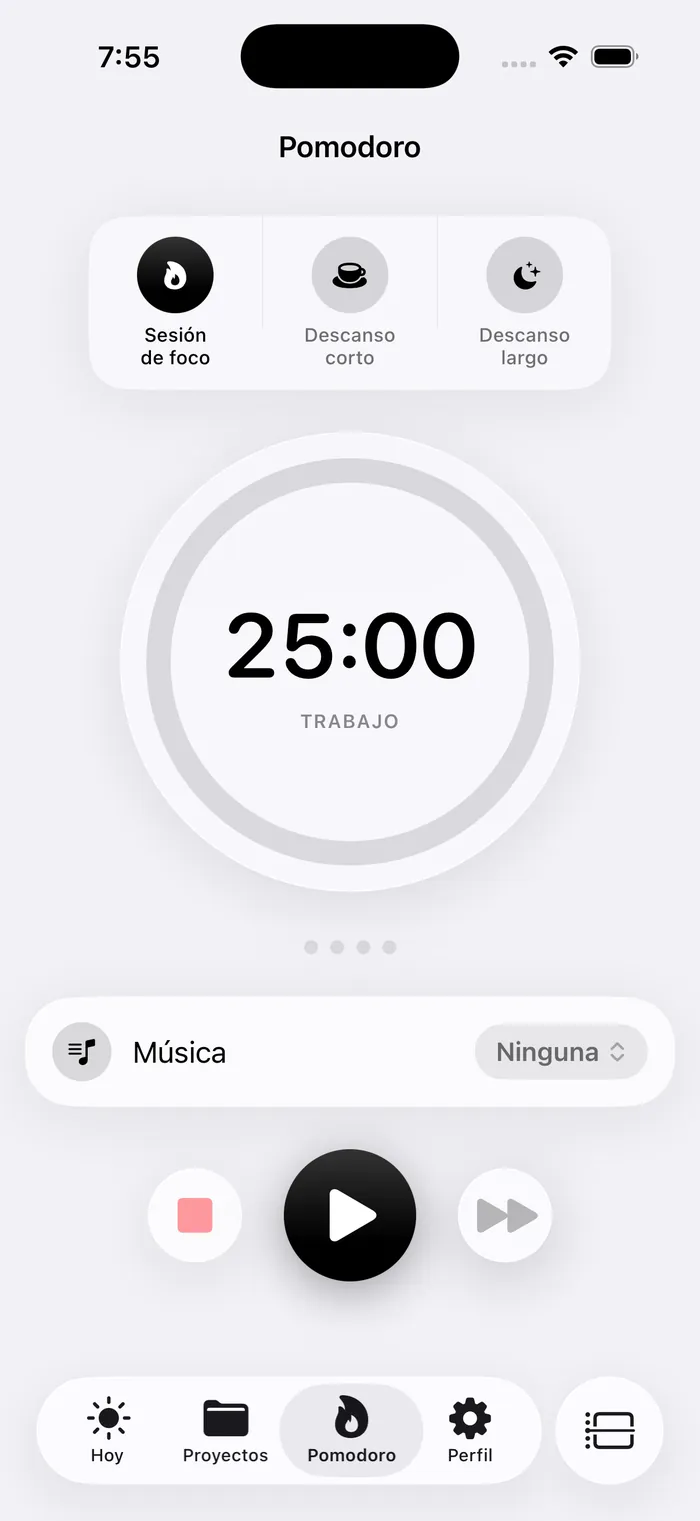
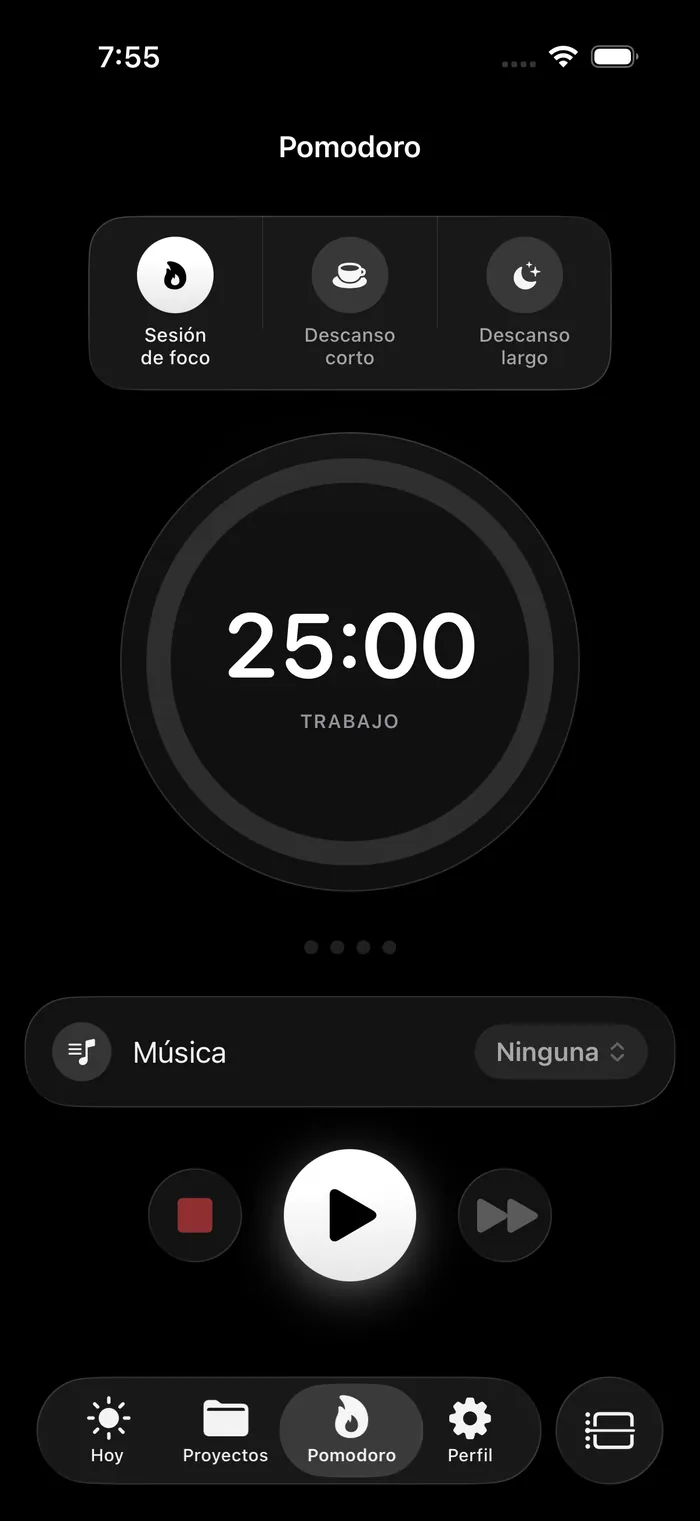
- ✓Pomodoro + free chronometer with check-in
- ✓Time budget per area and per project
- ✓Apple Music integration (global and per-habit playlists)
- ✓Finances: wallets, budgets, debts, savings and recurring expenses
- ✓Connected banking (PSD2) with transactions categorized on import
- ✓Two-way GitHub Issues sync
- ✓Publications per channel: Twitter, LinkedIn and article
- ✓Works offline: durable action queue
- ✓Global search and local notifications
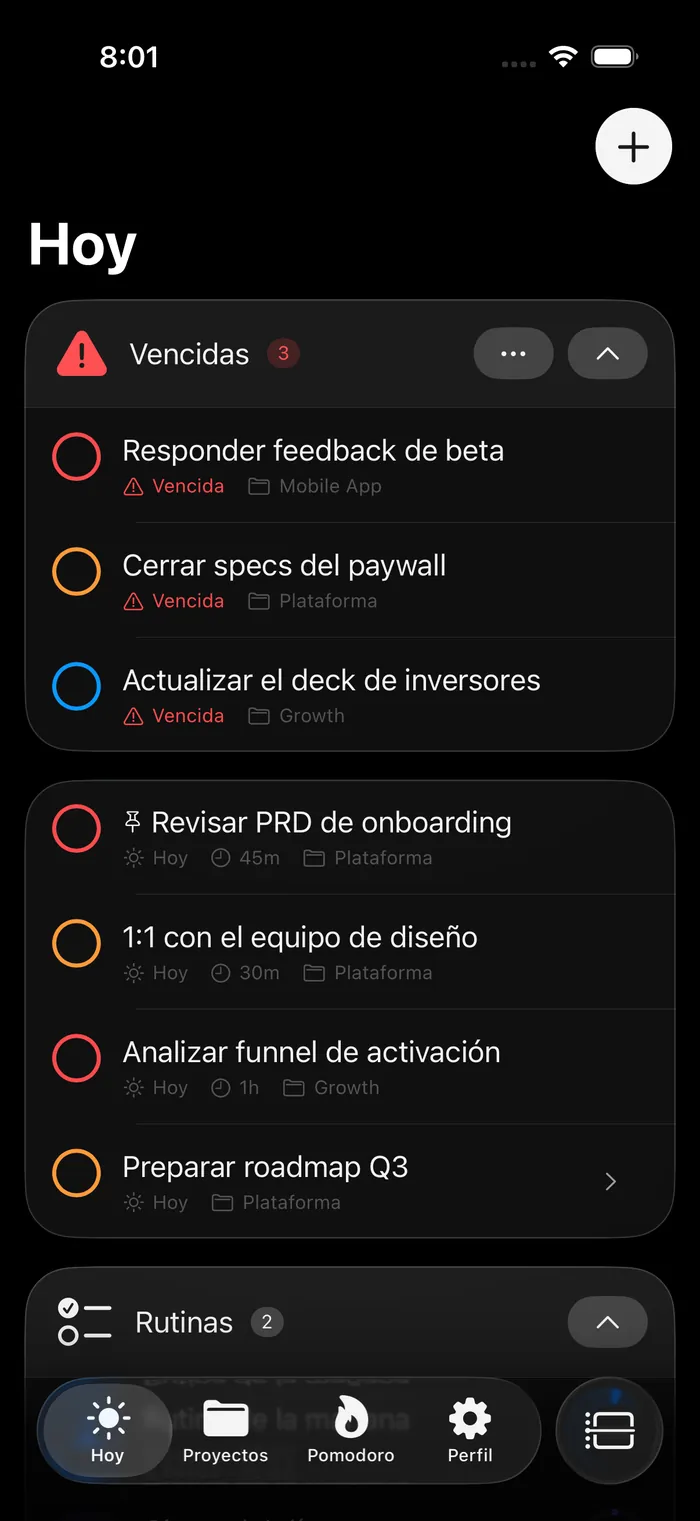
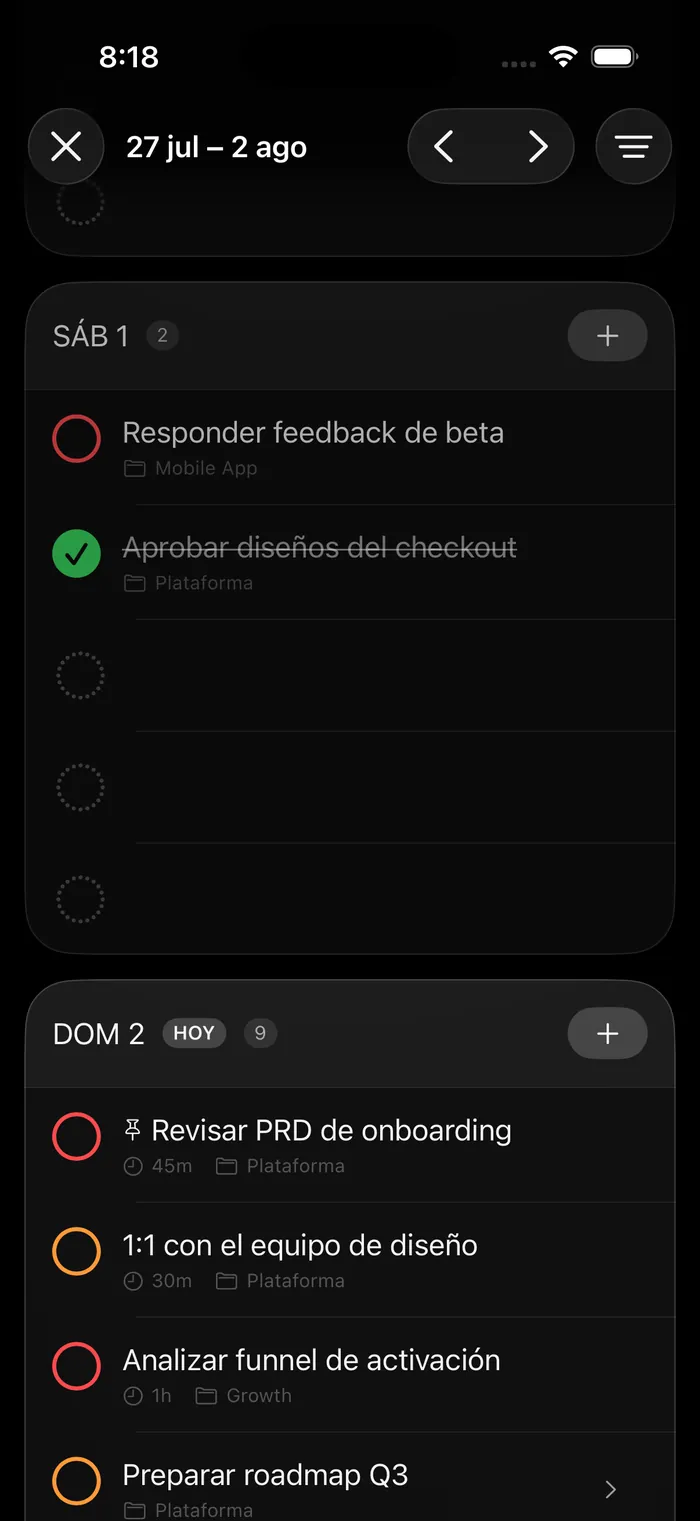
- ✓Configurable theme (8 accent colors, light and dark)
- ✓Premium subscription with backend-verified StoreKit
The hierarchy: area → project → section → task
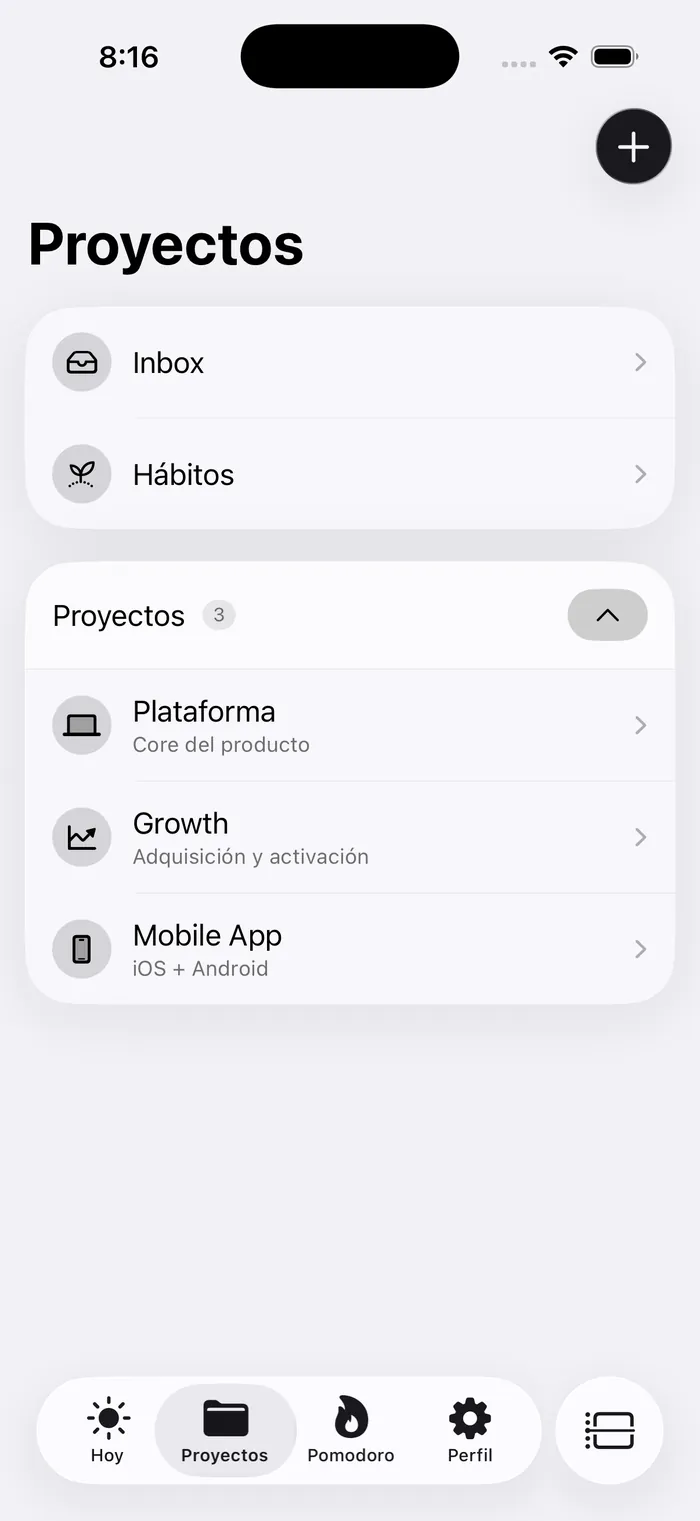
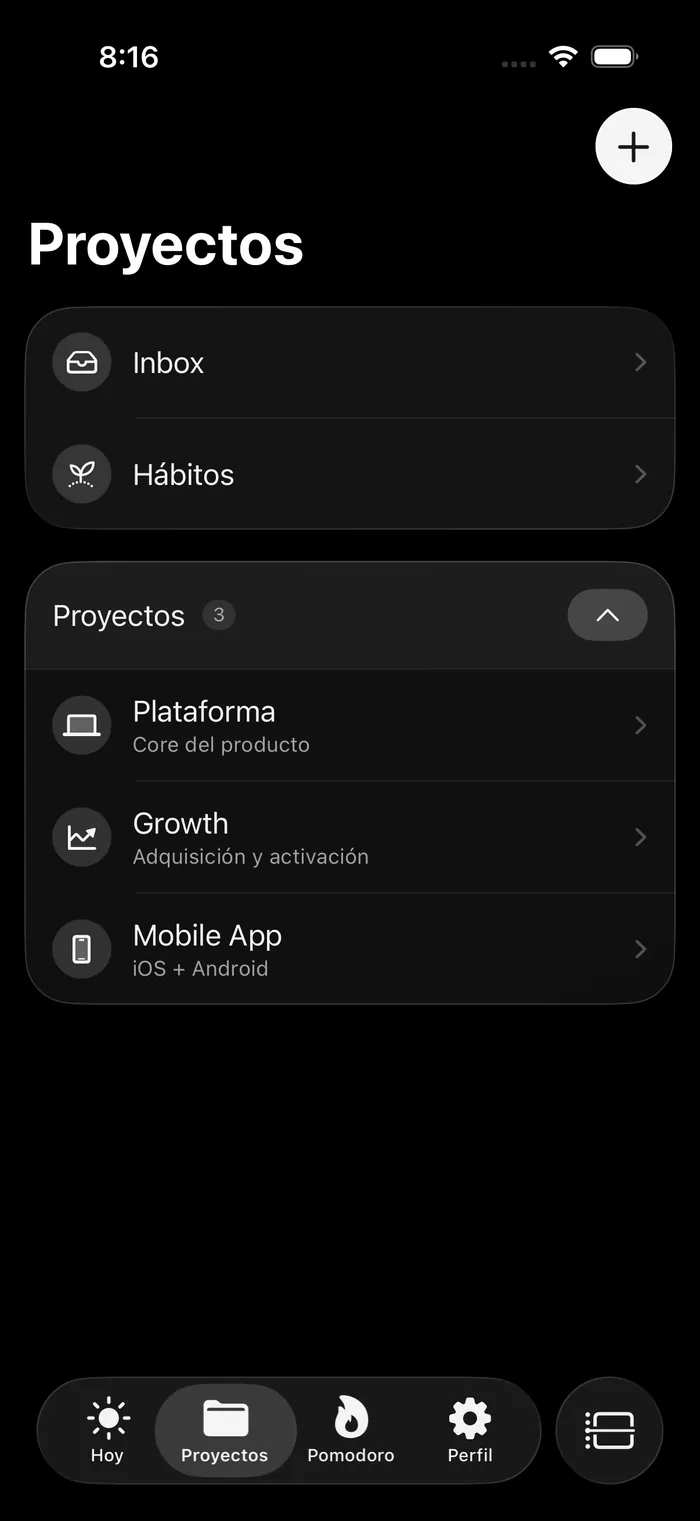
With twenty open projects, a flat list reads like twenty obligations. Areas sit one level above —a folder with a name, an icon and an order, nothing more— and sections are the “concrete project” inside a client. I deliberately avoided a self-FK on projects: arbitrary depth leaves unanswered what a container-project does with its tasks, its revenue target or its repo. Two levels by construction.
Sections had lived in the database from day one —table, model, fetch, even the field in the editor— with no screen to create them: a ghost level. Surfacing them exposed a latent bug: the foreign key was ON DELETE CASCADE, so the very first delete button would have taken the tasks inside with it, silently.
The day
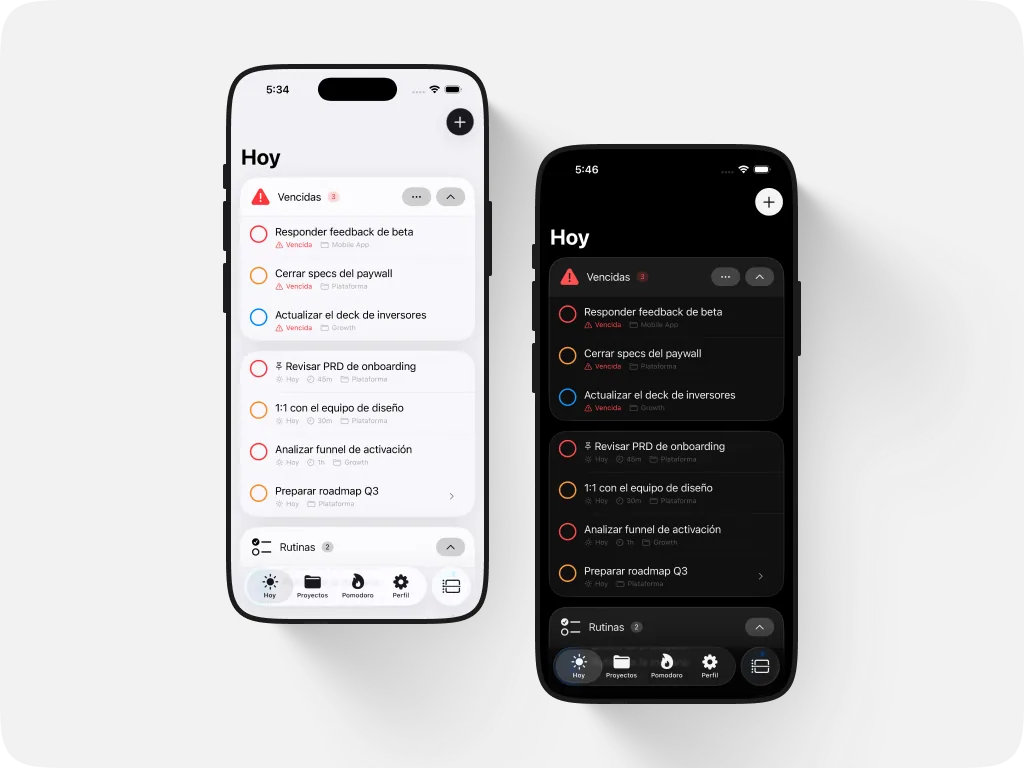
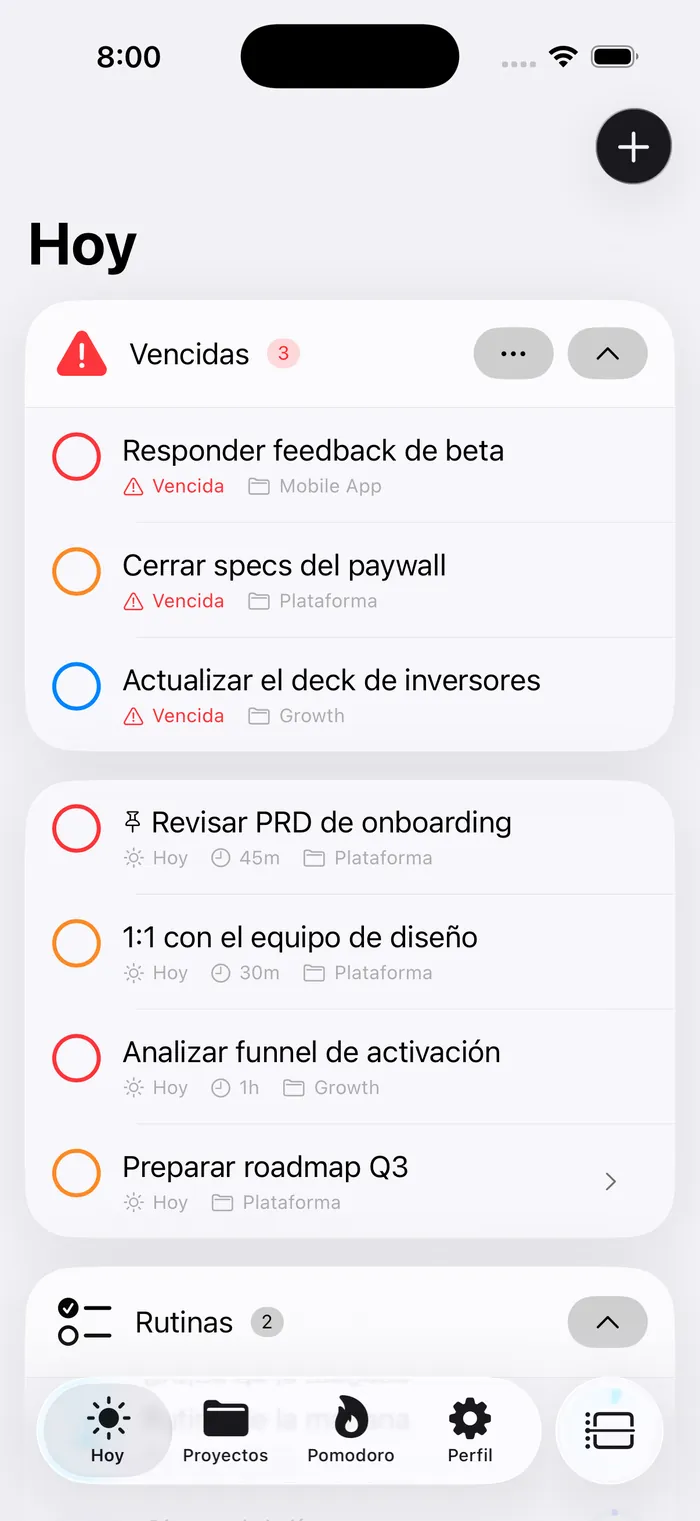
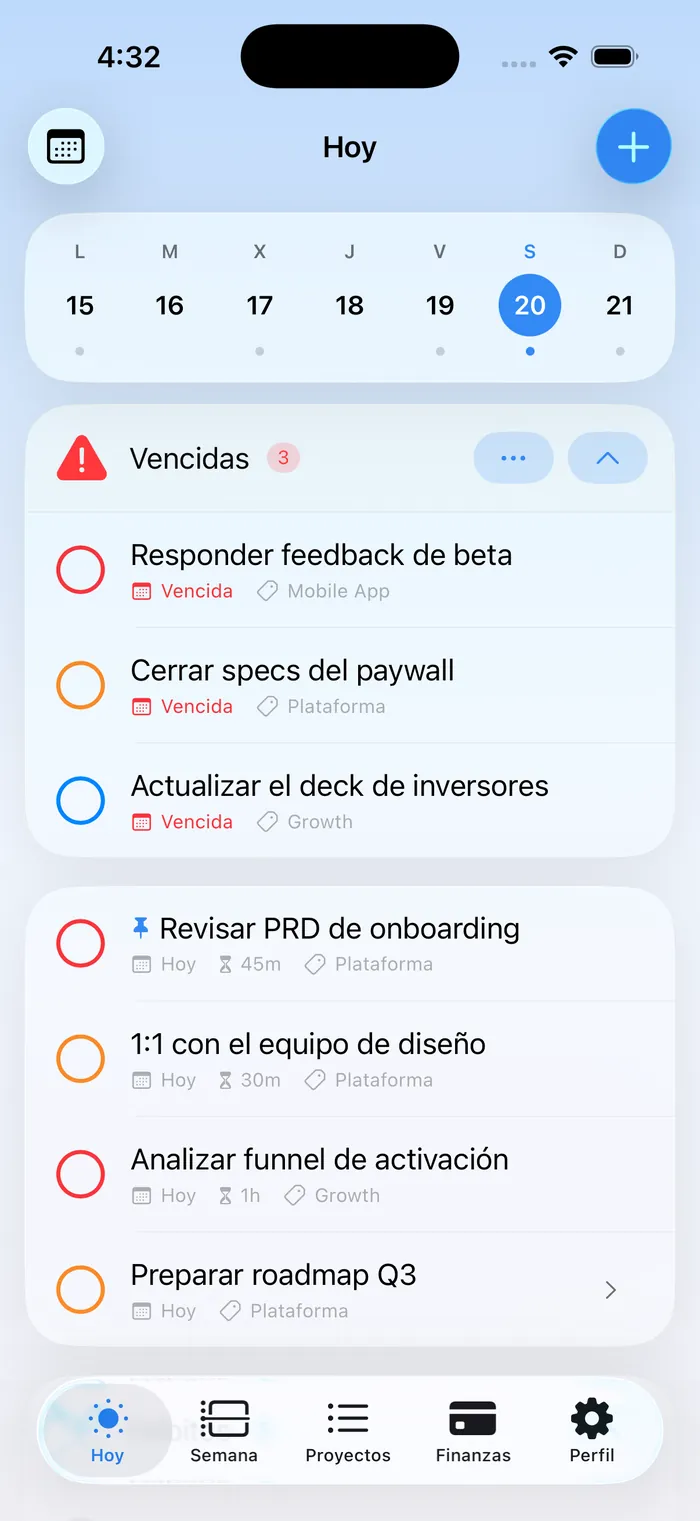
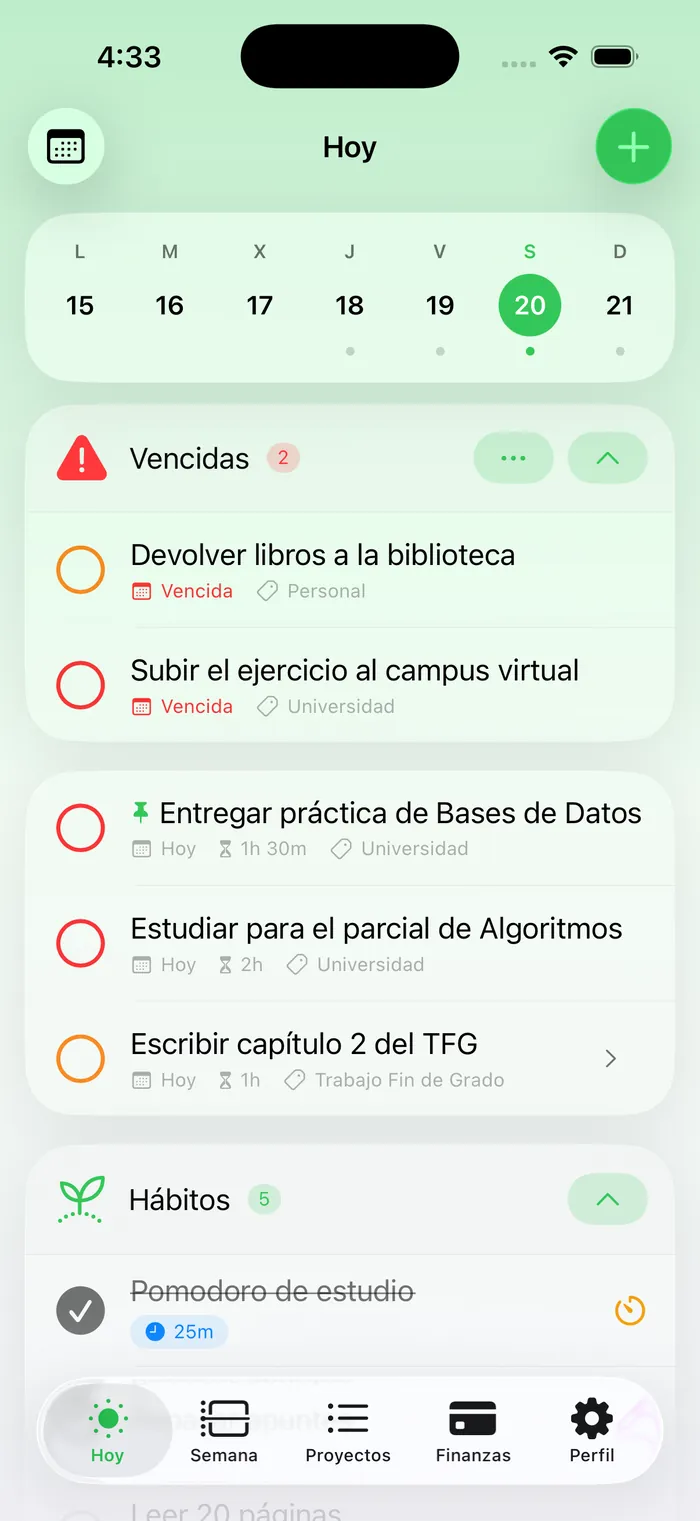
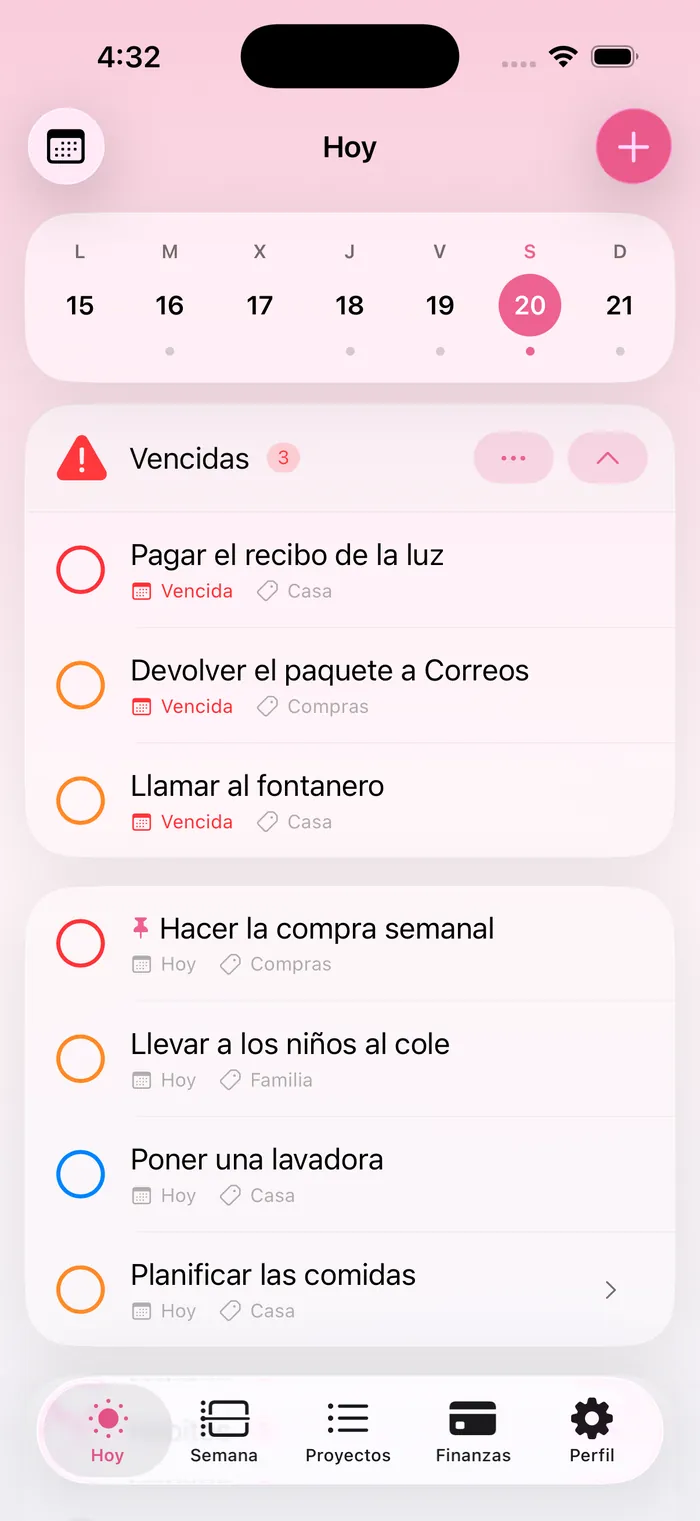
Today brings together what’s overdue, what’s due and your routines, each task showing its project and estimated duration. The week navigator moves day by day without losing context, and routines —step lists with a time and a streak— cover what repeats the same way every morning.
Focus: Pomodoro and chronometer
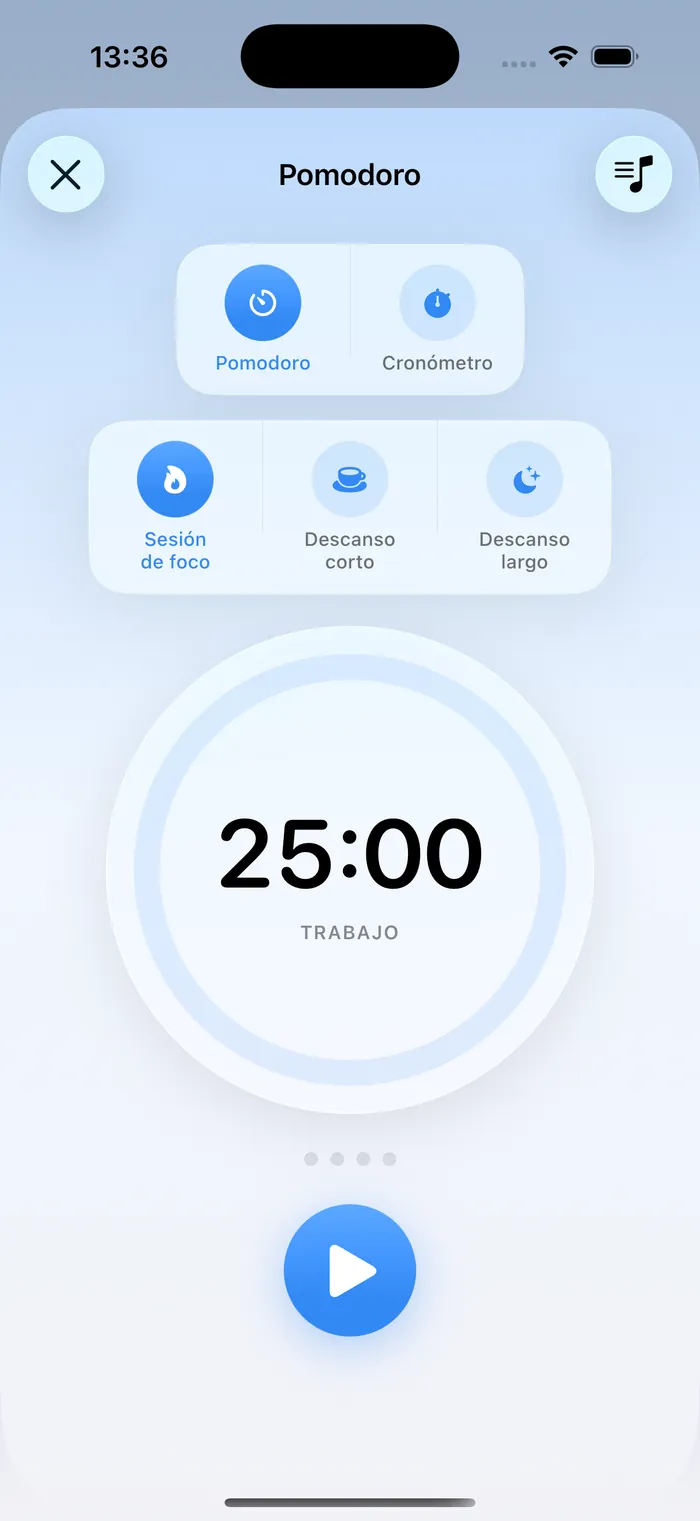
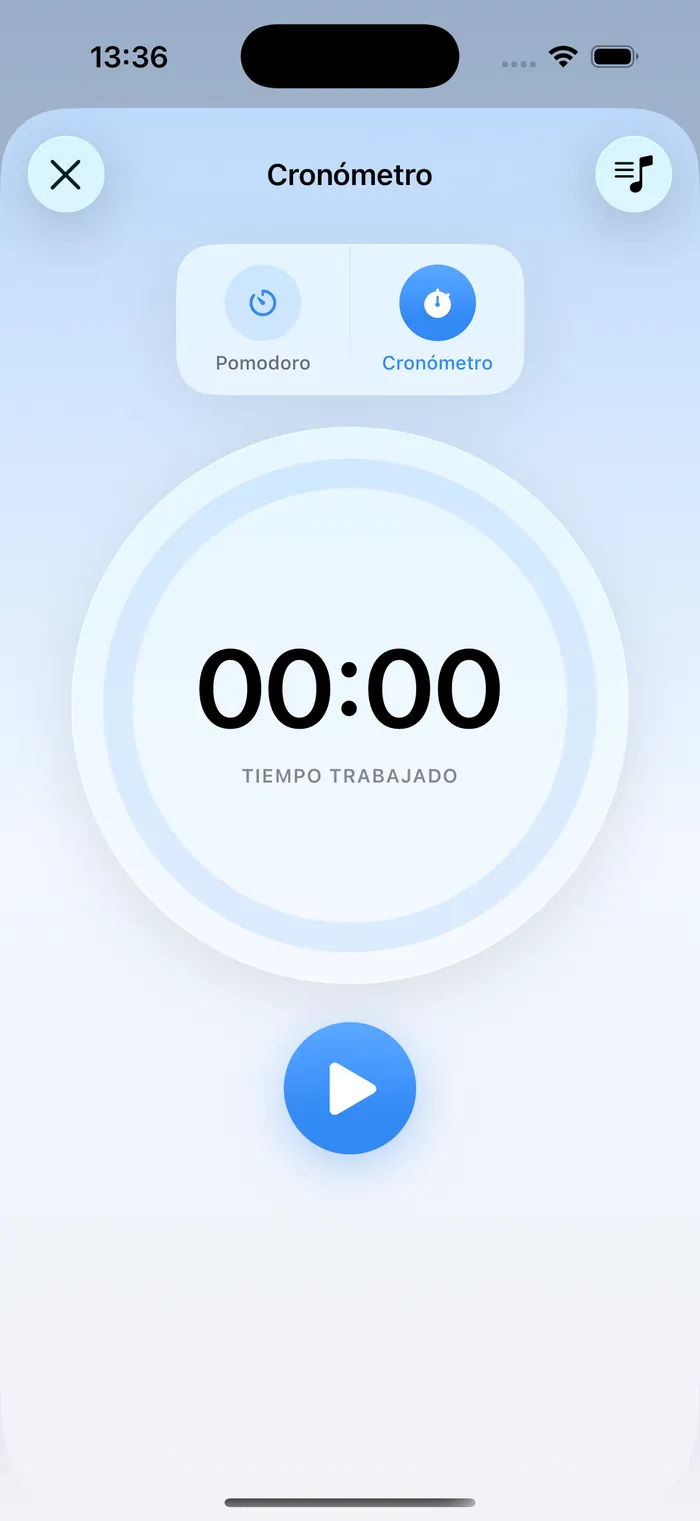
A dual timer —Pomodoro and free chronometer— as a TabView bottom accessory, with history and reports per project or habit. It plugs into Apple Music: a global playlist or one per habit, showing what’s actually playing. Each session stores its own project_id, so moving a task between projects no longer rewrites the past.
Measurable habits
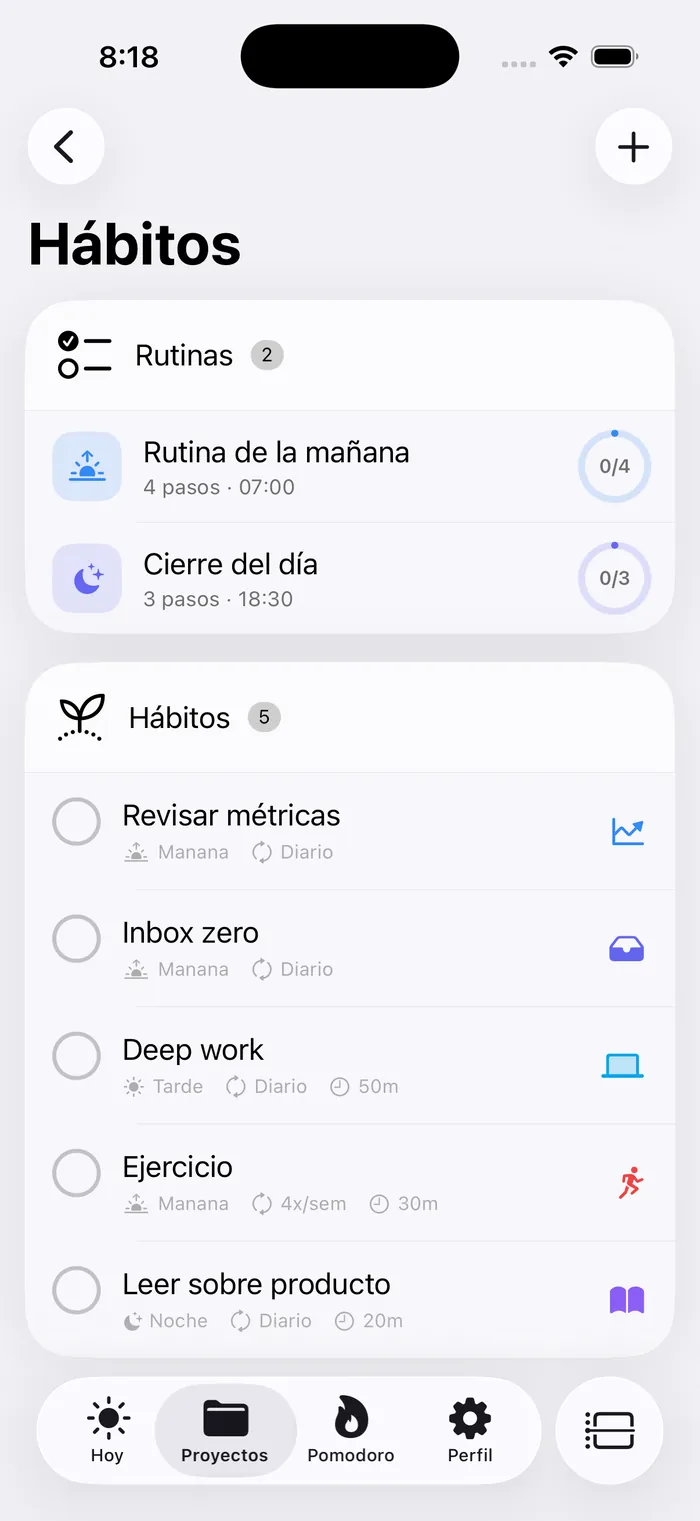
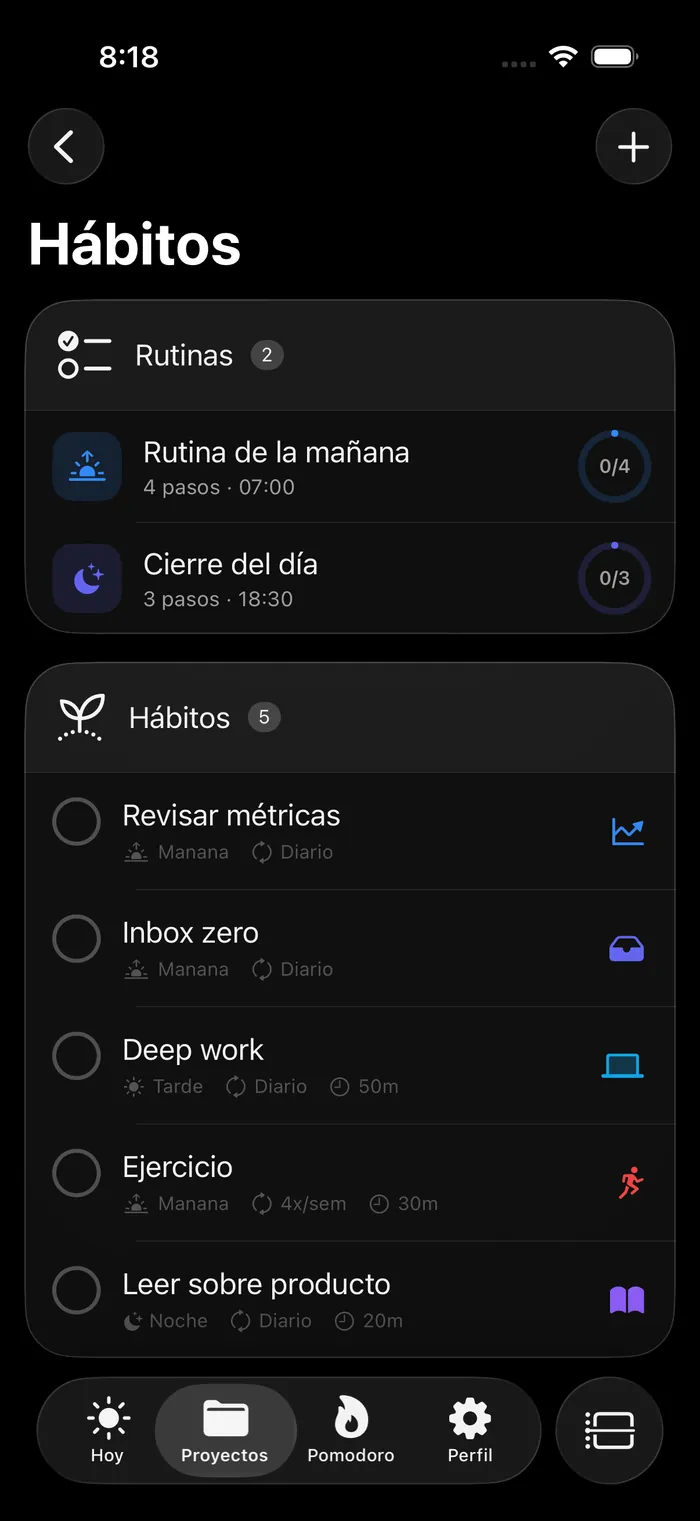
Habits with configurable frequency, icon, color, reminders and their own playlist. Premium analytics: heatmap, completion rate and weekly chart. Any habit can start a Pomodoro and keep its own accumulated time.
Finances, inside the same app
Wallets, transactions, budgets, savings goals, recurring expenses, debts and a wishlist — so money is part of your focus too, not another separate tool. Connected banking (PSD2, via TrueLayer) imports transactions already categorized and syncs on its own when you return to the app: before, syncing only happened inside the Banks screen, so anyone who never opened it never saw a transaction arrive.
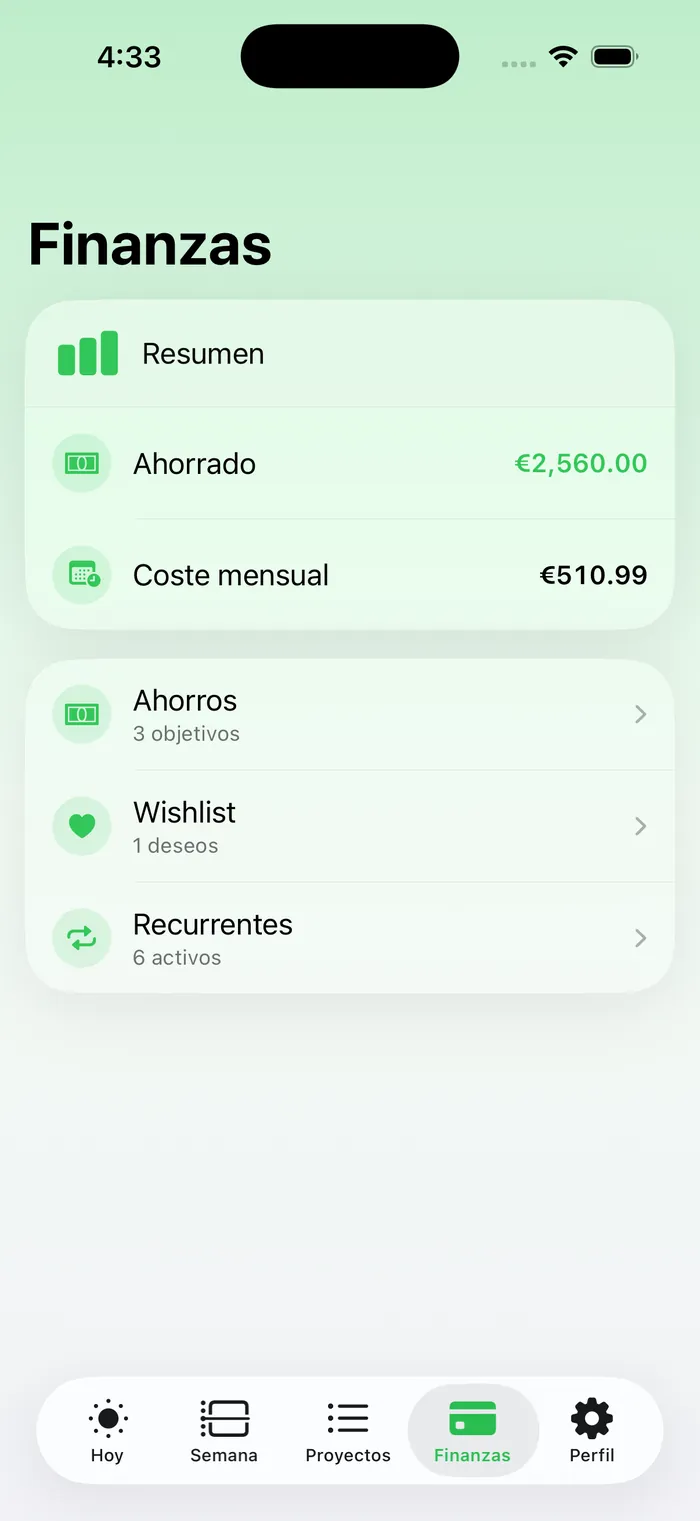
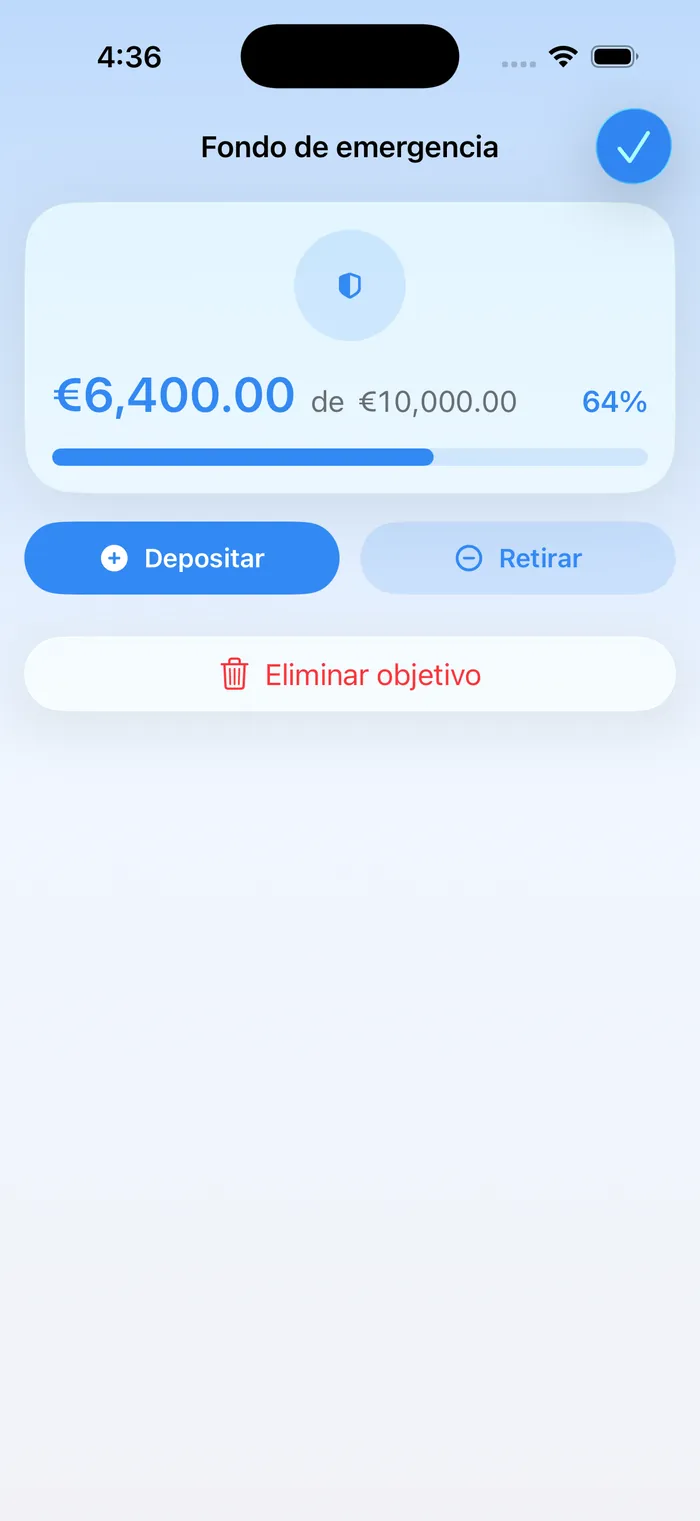
PSD2 consent expires after 90 days and syncing used to die quietly: now it warns 7 days ahead. And you choose which accounts are imported, instead of swallowing one wallet per banking product.
Time budget: warn, never block
The area sets the ceiling (“5h to Work today”) and each project reserves inside it (“of those 5h, 2h30 to Sardina”). Two levels on purpose: people don’t always plan at the same level, and with targets only on areas you’d end up creating one area per client just to assign hours — destroying the very level areas provide.
If the reservations exceed the ceiling, the editor says so and the area badge turns amber. Saving still works. There’s no CHECK constraint tying the two numbers together: coherence here is a product decision, not a data one.
A planner that argues with the person planning gets abandoned in three days.
Nota de diseño, agosto 2026
Local-first: the interface doesn’t wait for the network
Every mutation is instant: it mutates the local array, writes through to cache and enqueues the operation; the network syncs in the background. Behind it sits a durable per-user queue with coalescing, backoff and a dead-letter path, a network monitor and a temporary-id allocator — because a task created offline is born with a negative id that must later be reconciled across arrays, foreign keys and already-queued operations.
An anti-wipe merge on every read: realtime and refetch no longer stomp optimistic state or cause flicker. It covers tasks, projects, sections, habits, Pomodoro, savings, recurring items and ideas — without a single schema change.
GitHub Issues, both ways
Under the same simple app sits a serious engine: your repos become projects and your issues, tasks. Sub-issues as subtasks and comments synced both ways. Backend-first architecture: database triggers enqueue the sync, edge functions process the queue, pg_net notifies instantly and Supabase Realtime pushes GitHub changes to the app with no polling.
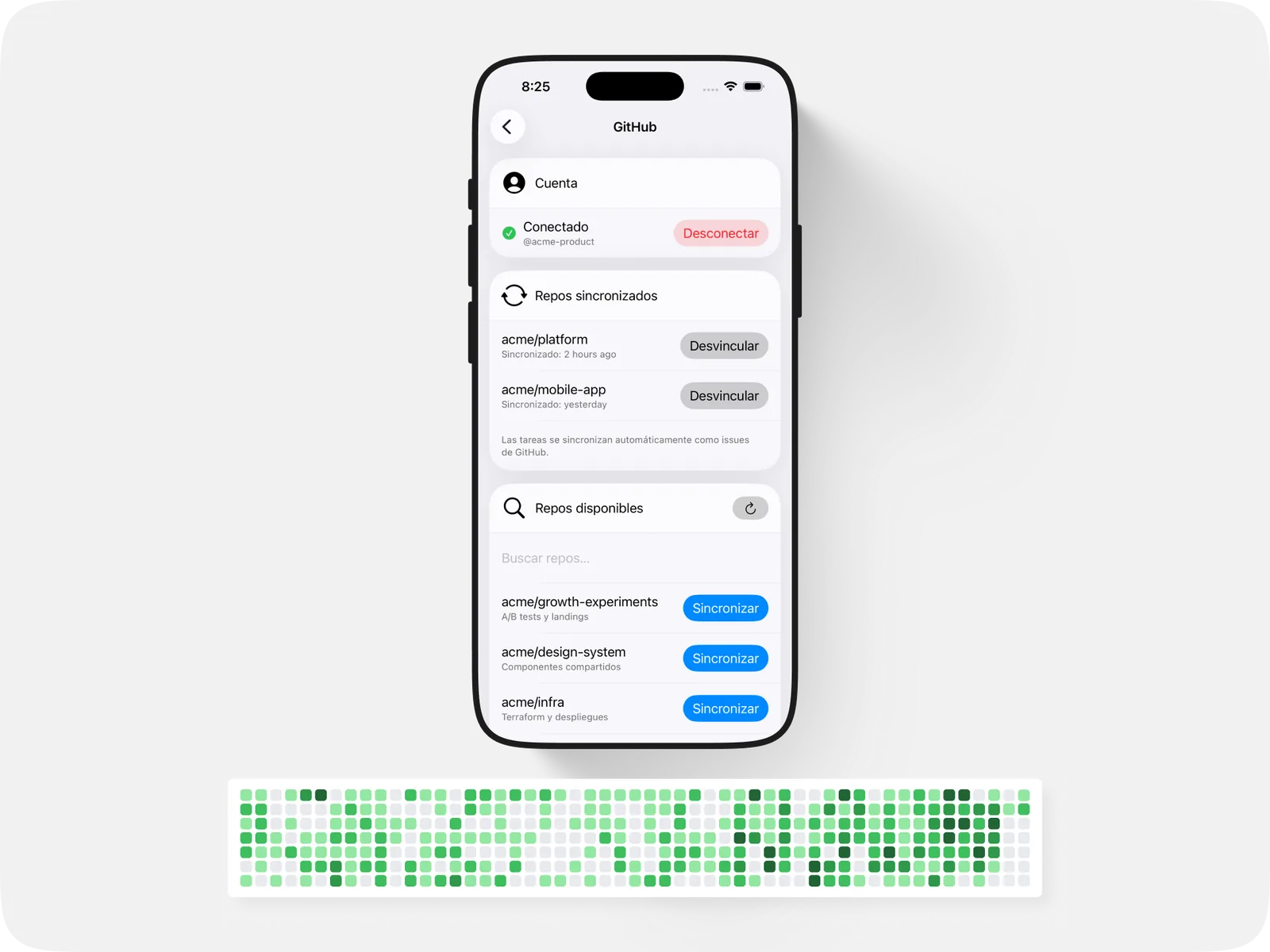
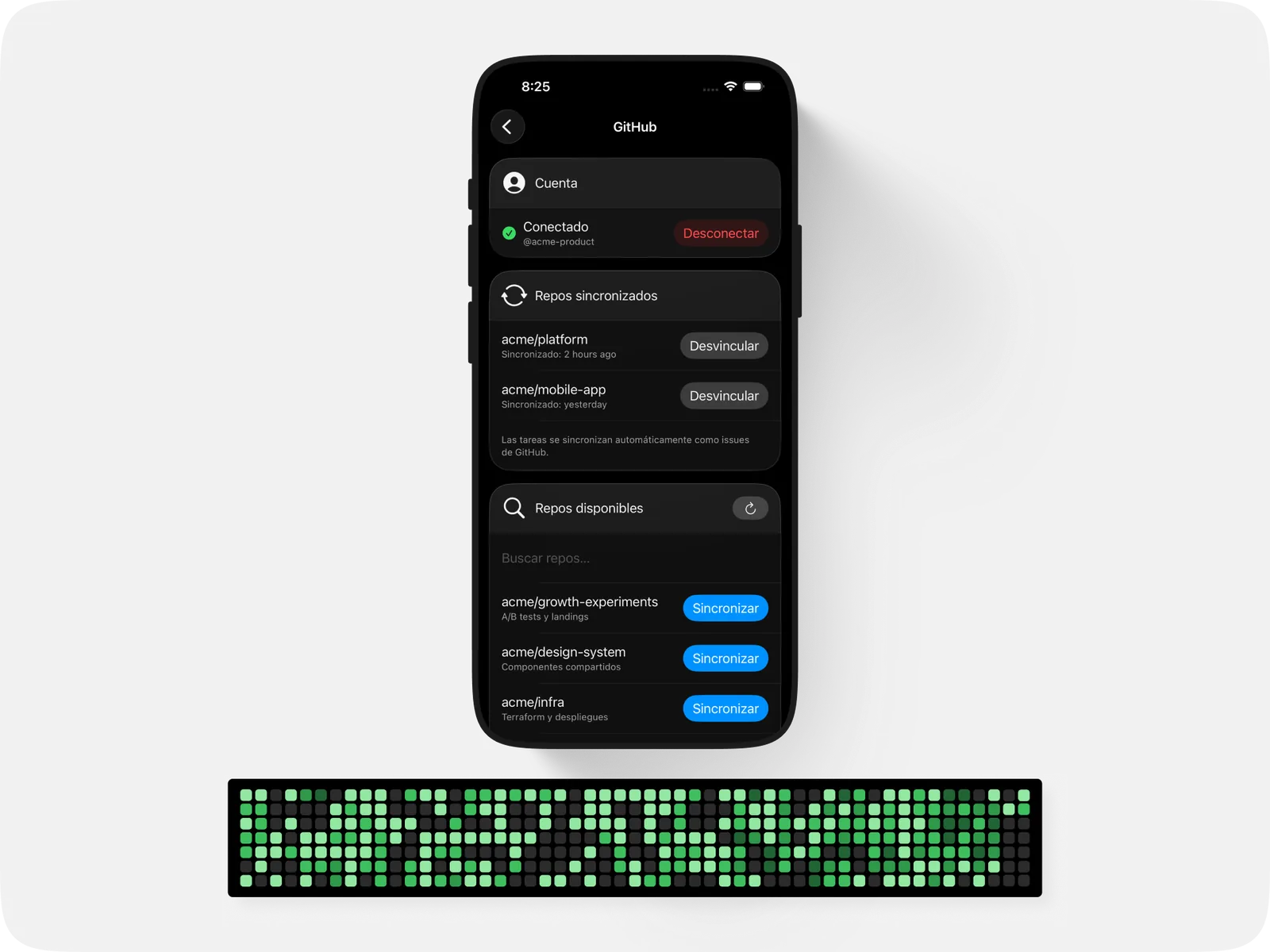
5 tables, 7 edge functions and a webhook accepting issues, comments and sub-issues. The sync badge (green/amber/red) reflects each task’s state instantly.
Publications: one backend, two apps
Ideas are generated in ideas365 —the second app in the ecosystem— and FocusMode reads them: a Twitter thread, a LinkedIn version and an article, each channel with its own date and published state. They share the Supabase project and the table, so there’s no sync to maintain between them: it’s the same row seen from two apps.
Personalization
Eight accent colors, light and dark, a default currency and row density. It isn’t decoration: it’s what lets the same app work for a roadmap and for a thesis without either feeling borrowed.
The stack
SwiftUI with the @Observable macro (not ObservableObject), MVVM, models passed through the environment. Supabase backend: Auth (Apple Sign-In), PostgREST, edge functions, Realtime and Storage. StoreKit with backend receipt verification plus RevenueCat. Gemini for AI subtask generation. The same backend powers the iOS app, a second cross-platform app in React Native + Expo, the Next.js web and ideas365.
How it evolved
- 2025First release on the App Store
Tasks, projects and a subscription with backend-verified StoreKit.
- Feb 2026Habits, Pomodoro and real hierarchy
Nested subtasks with parent_id, priorities, pinning and habit analytics. The timer lands as a TabView accessory.
- Feb 2026GitHub Issues sync
Two-way and backend-first, with a database queue and Realtime into the app.
- Jun 2026Local-first
A durable offline action queue, temporary ids and anti-wipe merges. No schema changes.
- Ago 2026Real finances and areas
Connected banking with automatic sync, debts, budgets with manual allocation, areas, sections and time budgeting.
One app, three lives
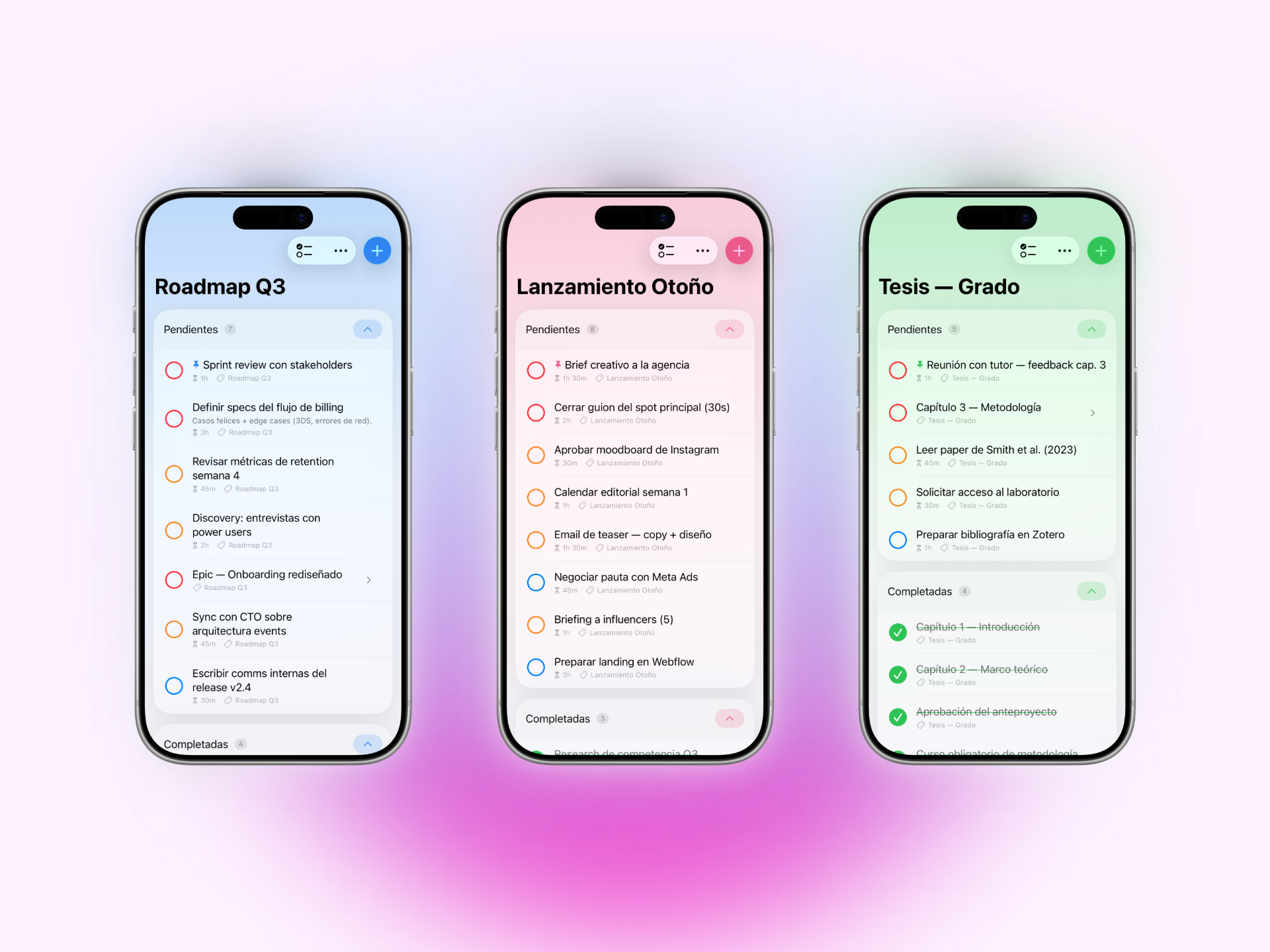
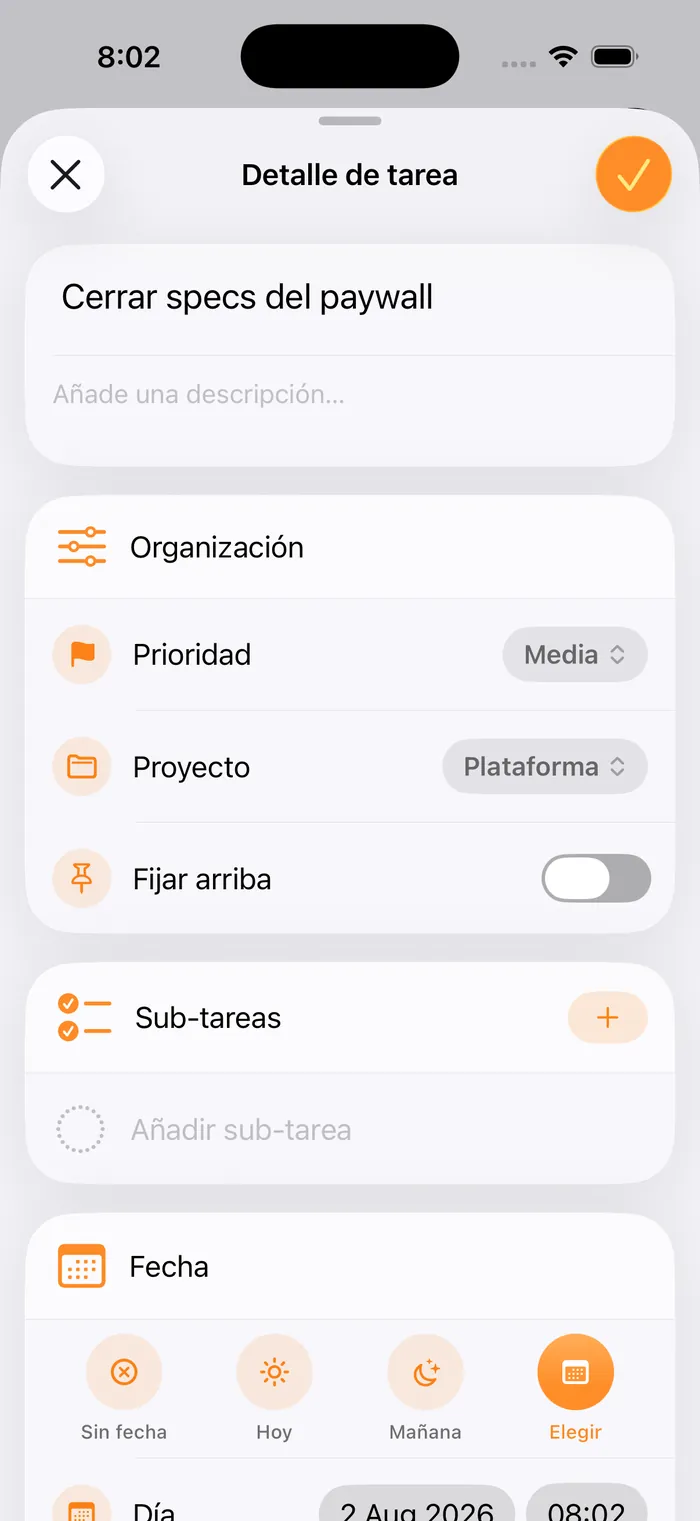
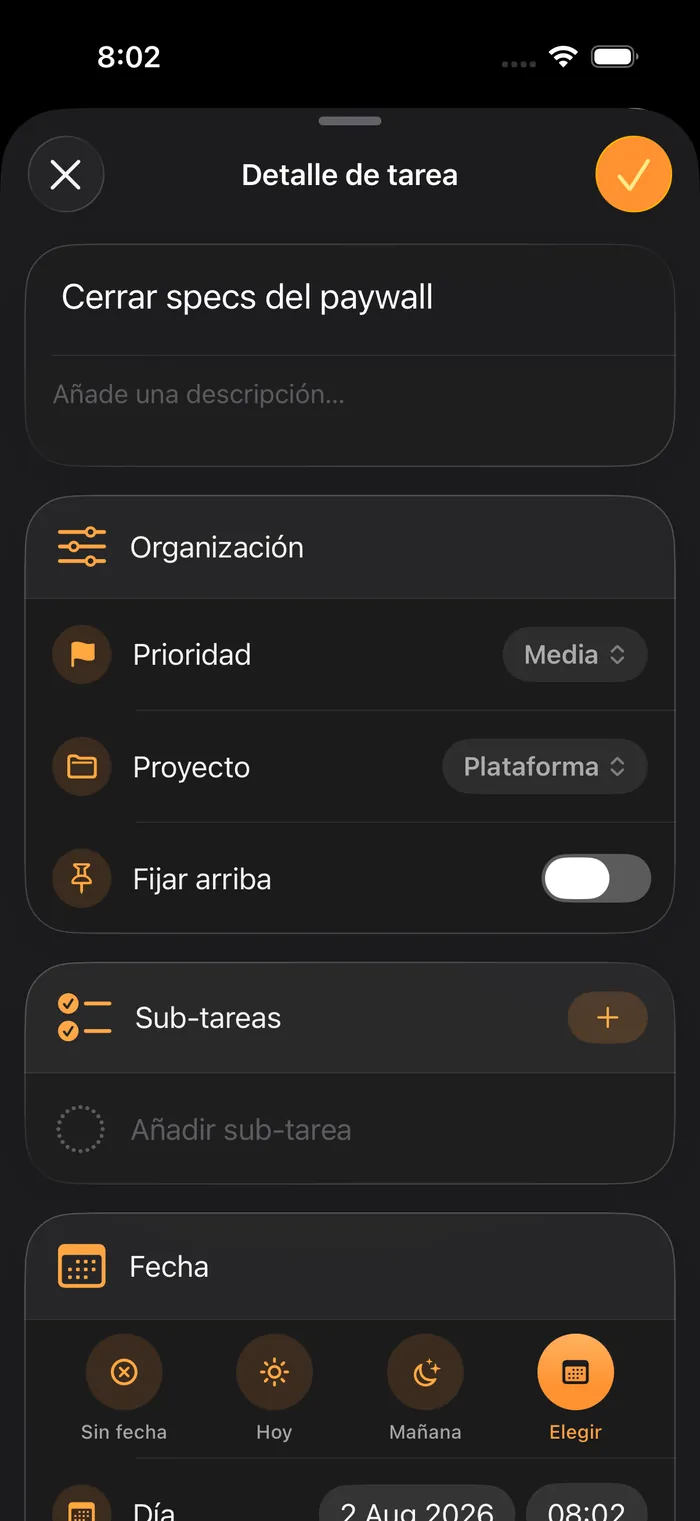
These three captures come from the same build: what changes is the content and the accent, not the app. On the left, someone running a product —beta feedback, paywall specs, roadmap—. In the middle, someone studying: lab work, exams and chapter 2 of the thesis. On the right, the household: the electricity bill, the school run, a load of laundry. It’s the opening thesis, said with the interface itself instead of an adjective.
Result
FocusMode is live on the App Store (iOS 26+) and is the main app in the focusmode.net ecosystem. What started as a task manager is now a tool where work, time and money are looked at in one place — and it keeps growing where it’s actually used, not where it was planned.
Screen by screen
The whole app, no surprises: the same rail that runs across the focusmode.net home.