SubHub.
Subscription tracker
SubHub came out of Focus Mode with no new backend: it is a vertical client on the same table, the same account and the same premium entitlement. I designed and built the whole app —product, interface and integration— around the one question the suite never answered at a glance: how much a month goes to things that pay themselves.
Context
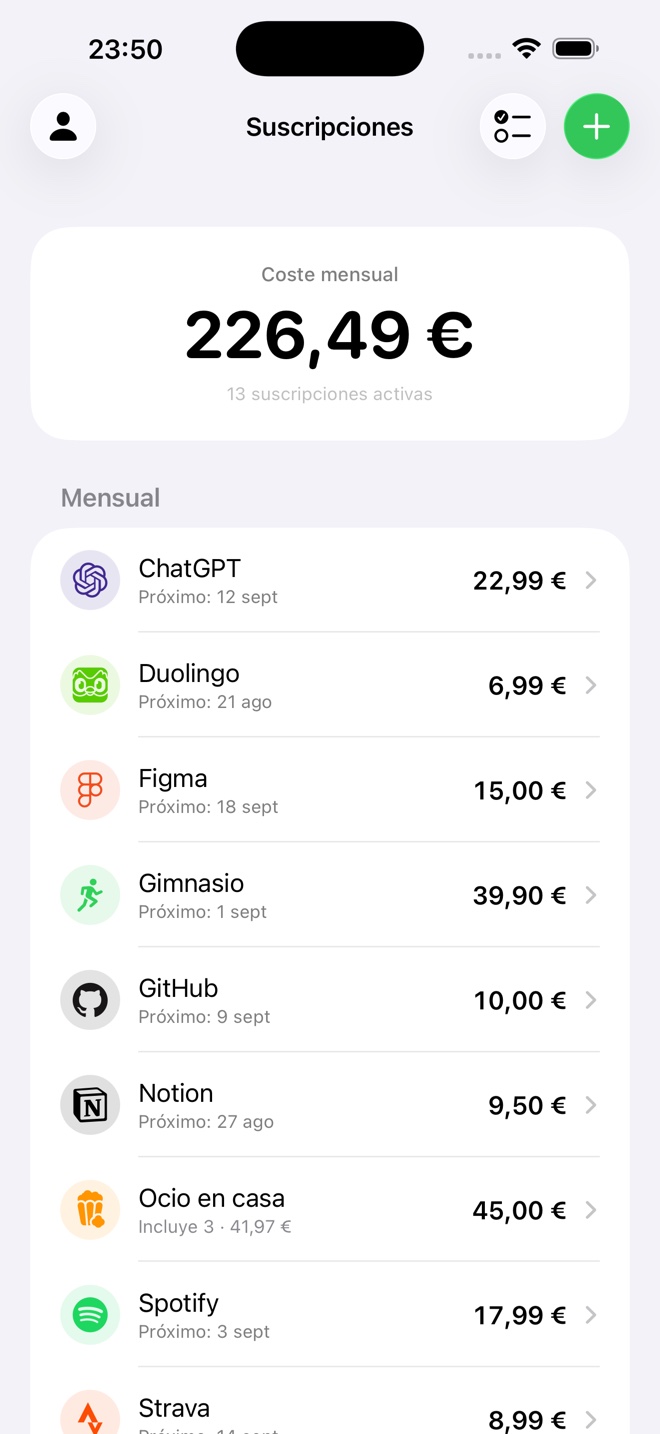
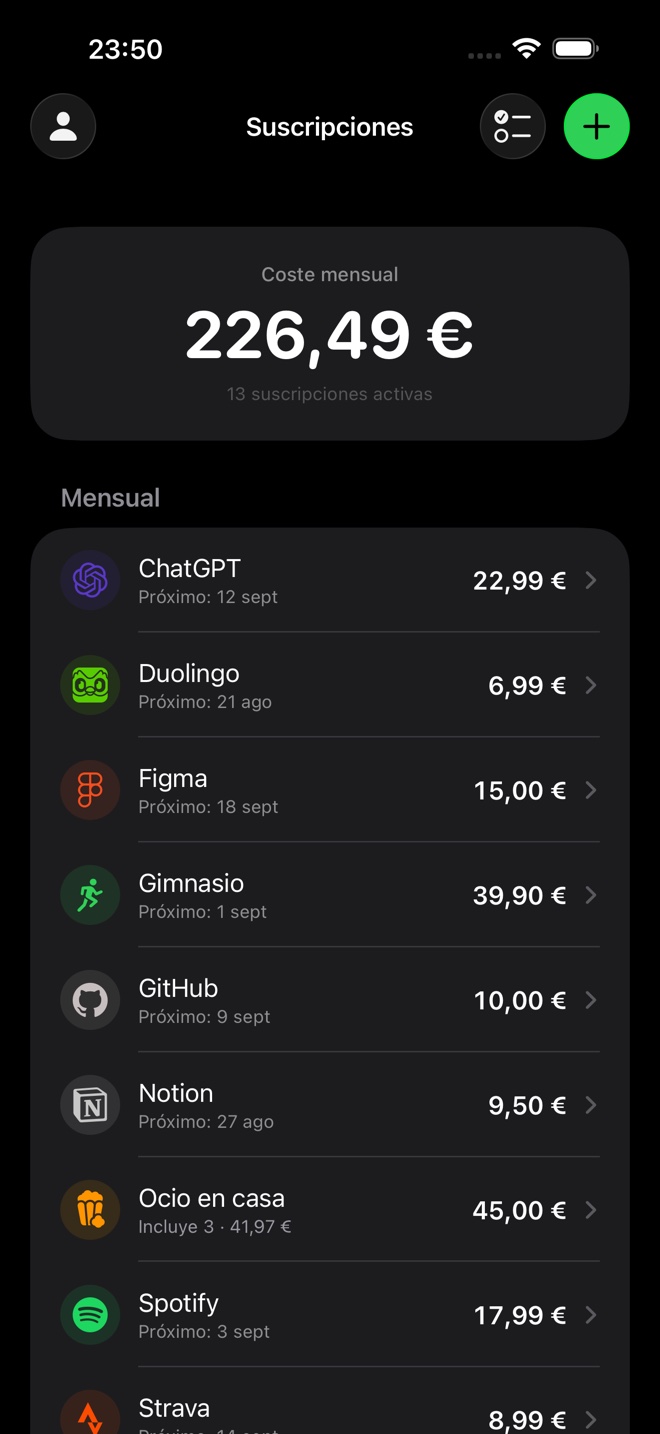
SubHub puts your subscriptions and recurring expenses on one screen and tells you what they add up to per month. One number up top and, below it, the list by period: what is monthly, what is yearly, what is archived. It is not a finance app in the usual sense — it never connects to a bank, never reads transactions and never asks for payment details. You type the subscriptions in yourself, and there are only a handful.
And it did not start from scratch. Recurring expenses already lived in the Focus Mode database, inside its finance module; SubHub is a vertical client on that same table that shows nothing else. Same database, same account —both apps sign in with Apple, so it is the same user— and the same premium entitlement, kept by the Focus Mode backend: whoever already pays there walks in paying here without doing a thing. A new app on the store that cost no new backend.
No bank connection, no ads, no advertising profiles. What the app never collects is not something you have to protect later.
The challenge
Anyone can write a list of subscriptions; what is hard is keeping the numbers honest. Four problems: making five different billing periods —weekly, monthly, quarterly, semiannual, annual— read as one comparable figure; making groups not invent money when what is inside goes over the ceiling; making the list readable at a glance without asking the network for a logo every time it opens; and making the premium entitlement belong to the user rather than to the app, so whoever already pays for Focus Mode does not pay twice.
One number, not twelve
Every row knows what it costs per month, and the total up top adds up those equivalences, not the amounts as they are actually charged. Weekly gets there by multiplying by 52 and dividing by 12, not by four: four weeks a month is eleven months a year, and the error piles up precisely on what gets charged most often. Below, each period gets its own section and what is archived stays in view without counting toward the total.
/// Lo que cuesta al mes, venga como venga. El total de arriba suma esto,
/// no los importes tal como se cobran.
var monthlyEstimateMinor: Int {
    let amount = Double(amount_minor)
    let monthly: Double
    switch frequency {
    case .weekly:     monthly = amount * 52.0 / 12.0  // no × 4: serían 11 meses
    case .monthly:    monthly = amount
    case .quarterly:  monthly = amount / 3.0
    case .semiannual: monthly = amount / 6.0
    case .annual:     monthly = amount / 12.0
    }
    return Int(monthly.rounded())
}A ceiling that does not lie
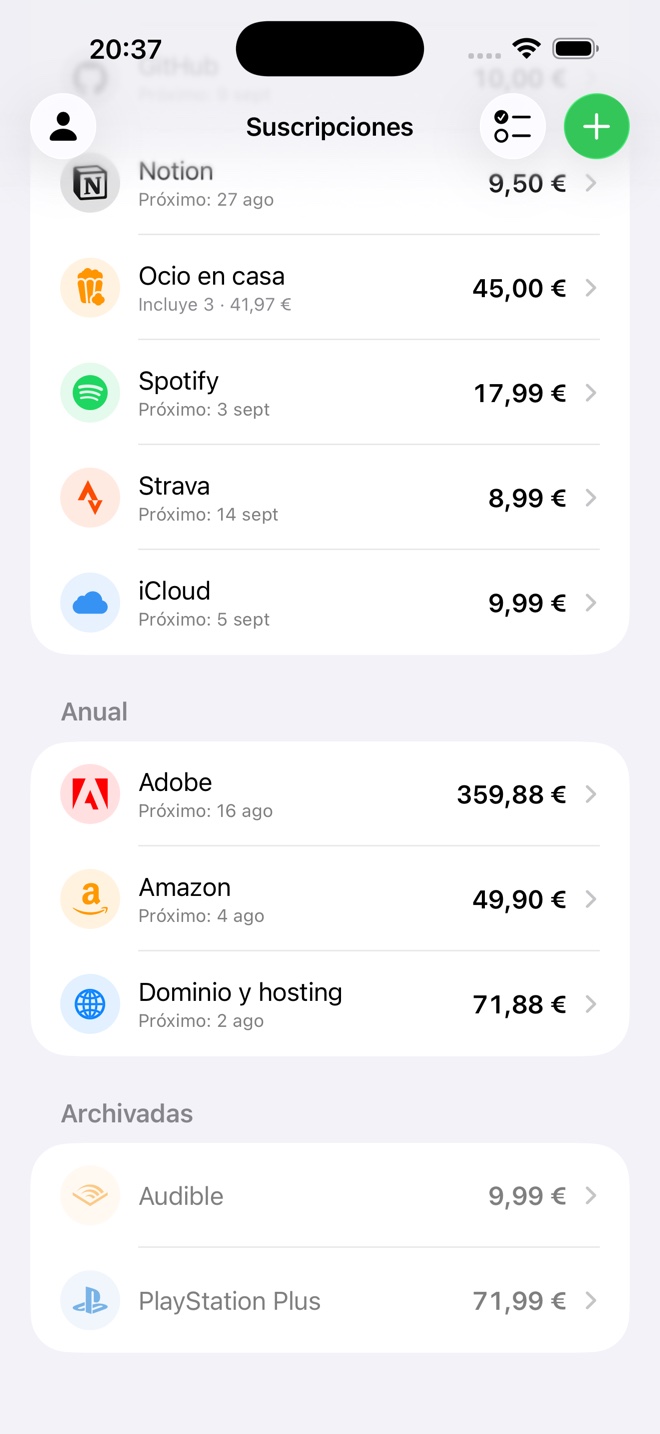
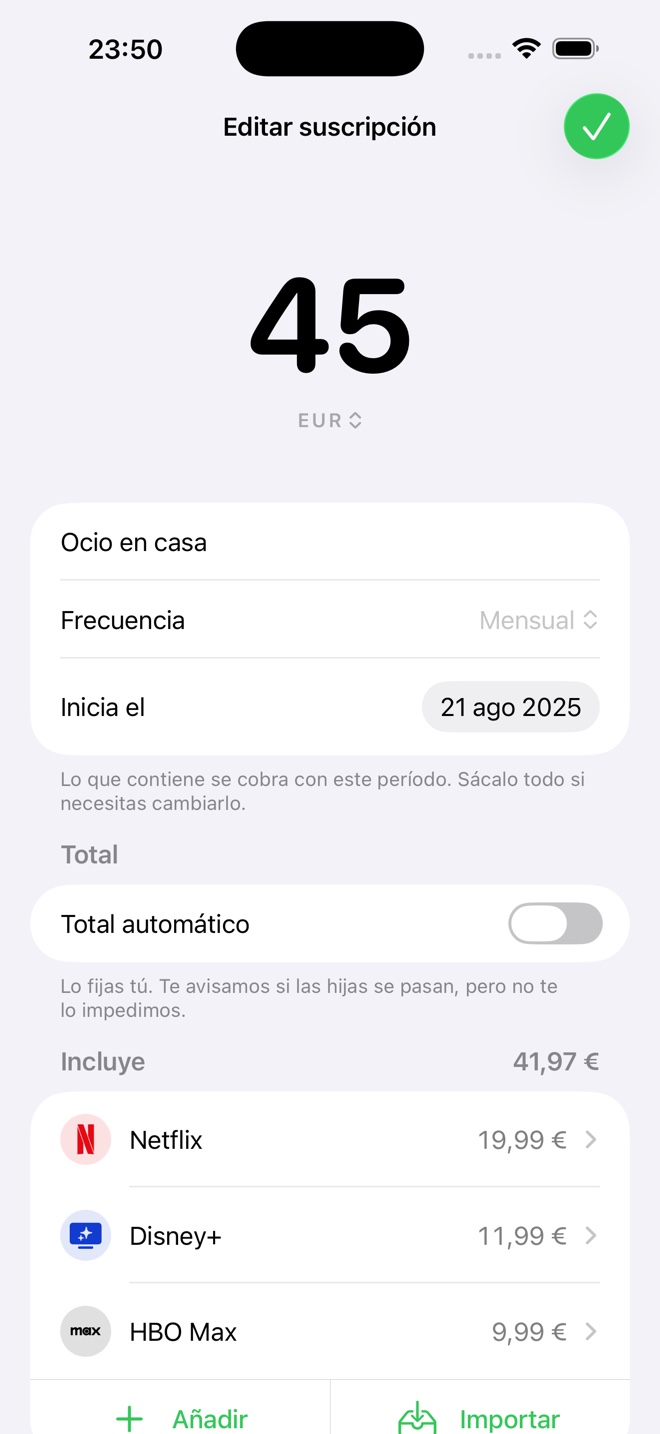
A group is just another row with children hanging off it, and the hierarchy stops at one level with two hard rules: inside a group everything shares currency and period. Adding euros to dollars, or a yearly charge to a monthly one, gives a number that belongs to no one. The ceiling is set by whoever creates the group, and the effective cost is the greater of the two: what it covers, or what its children add up to. That way the total up top never falls below what is actually being paid, even when the budget came up short.
/// Un grupo cuesta lo que cubre, o lo que suman sus hijas si se pasan.
func effectiveMonthlyMinor(_ expense: RecurringExpense) -> Int {
    let childrenMonthly = activeChildren(of: expense)
        .reduce(0) { $0 + $1.monthlyEstimateMinor }
    return max(expense.monthlyEstimateMinor, childrenMonthly)
}

/// Coste mensual POR MONEDA, de mayor a menor. Nunca uno solo:
/// sumar euros con dólares da un número que no es de nadie.
var monthlyTotals: [(currency: String, totalMinor: Int)] {
    Dictionary(grouping: activeTopLevel, by: \.currency_code)
        .map { (currency: $0.key,
                totalMinor: $0.value.reduce(0) { $0 + effectiveMonthlyMinor($1) }) }
        .sorted { $0.totalMinor > $1.totalMinor }
}The warning that the children have gone over comes with both ways out beside it —bump the ceiling once, or switch it to automatic— because a warning with no way out makes you go hunting for one. What it never does is block you: how much you spend is your call.
The brands
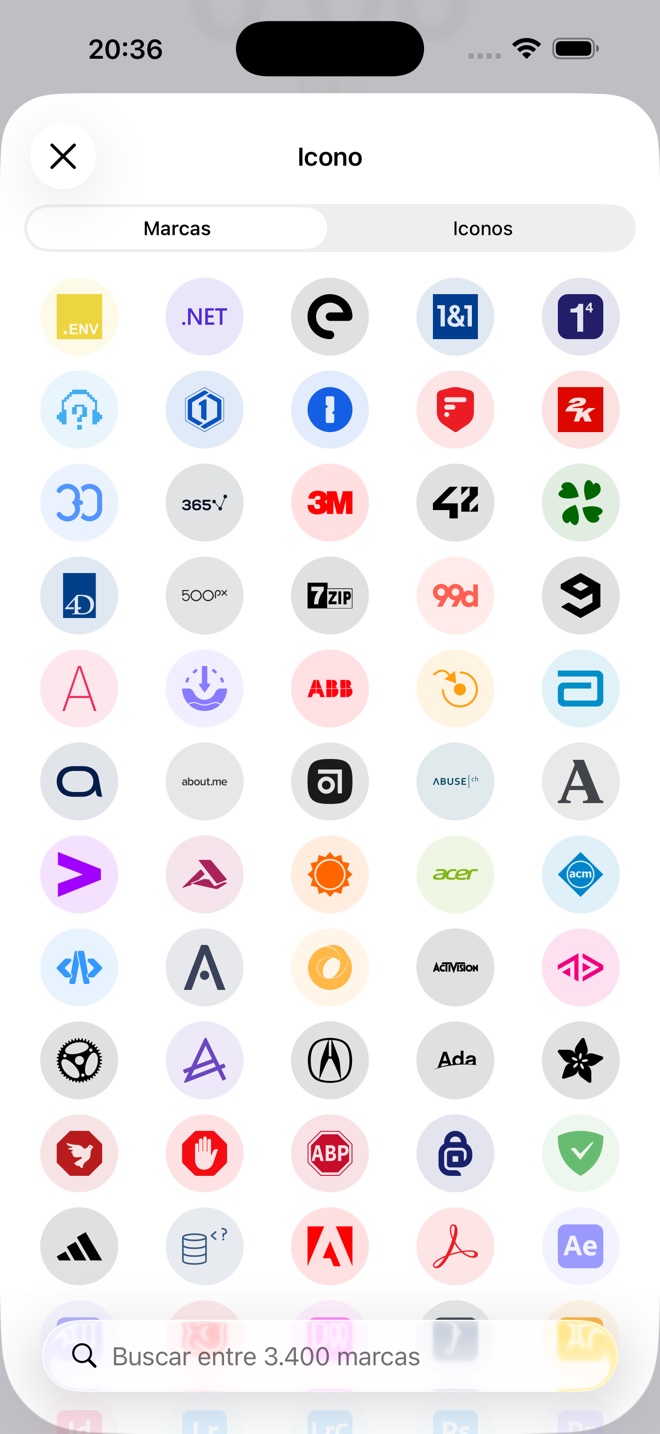
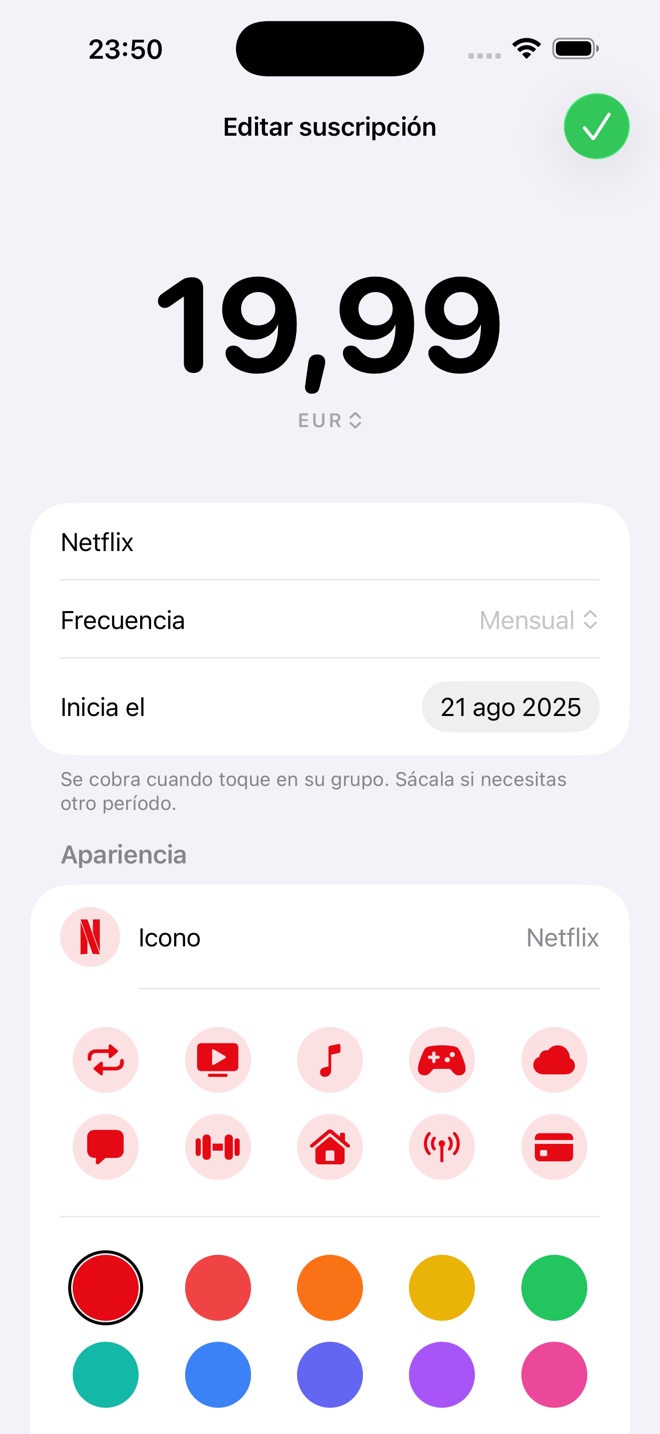
Type the name and the app suggests the brand, the logo, the color and —when the address is stable and does not vary by country— the link to manage the account, which is the one you need the day you want to cancel. Underneath there are two catalogs: a hand-curated one of 71 brands with their aliases, which is what tolerates "Netflix Premium" or "spotify familiar"; and on top of it the 3,613 Simple Icons brands, bundled into the binary to pick by hand. They load from JSON rather than a Swift literal —an array that size makes the type-checker suffer for nothing—, the first time the picker opens rather than at launch, and the search index is normalized once: normalizing 3,613 titles on every keystroke shows.
Each brand color comes from Simple Icons rather than the hex typed by hand into the curated catalog: they disagreed on 18 out of 63, so the same brand came out one color when the name suggested it and another when it was picked from the grid. The hand-written values only survive where there is no logo. And that color does not stay in the icon: it tints the whole appearance grid, so a subscription’s editor takes on its brand’s color.
Architecture & stack
SwiftUI and @Observable throughout, with the Supabase SDK as the only dependency: Apple auth, PostgREST and edge functions. The model is a flat list of recurring expenses and the hierarchy is derived from the parent identifier on read, so there are never two structures to keep in sync. The on-disk copy rewrites itself on every change to the list —from the property observer, not from the six places that mutate it— and lives in the system cache directory under a per-user folder: if the system clears it nothing is lost, and on a shared device switching accounts never shows the previous one’s subscriptions.
The app used to open empty, spinner running, until the server answered — even when the subscriptions were the same as yesterday. Now the first render already has the list, read from disk synchronously, and the spinner only shows up when there really is nothing to display.
Premium is not the client’s call either. The app asks an edge function and keeps the answer; with no network the answer is "I don’t know" and the last thing the server said stands. Degrading that to "you are not premium" would put a wall in front of a paying user the first time they opened the app on a plane.
/// El derecho es del usuario, no de la app: vive en la cuenta de Supabase
/// que SubHub y Focus Mode comparten, y lo mantienen las edge functions
/// que ya verifican las compras. Aquí solo hay que leerlo.
static var cachedIsPremium: Bool {
    UserDefaults.standard.bool(forKey: cacheKey)
}

/// `nil` cuando no se ha podido preguntar; el llamante conserva lo que tenía.
@discardableResult
static func fetchStatus() async -> Bool? {
    do {
        let status: SubscriptionStatus = try await supabase.functions.invoke(
            "apple-subscription-status"
        )
        UserDefaults.standard.set(status.isPremium, forKey: cacheKey)
        return status.isPremium
    } catch {
        return nil   // sin red no se degrada a "no premium"
    }
}
Nothing in the interface carries a hand-written color. The greys, the grouped backgrounds and the separators come from the system, and the brand green has its own version per theme, so the app follows the phone without a single conditional in the code.
Deliverables
- ✓Monthly-equivalent cost across five billing periods
- ✓One total per currency, never mixed
- ✓One-level groups, with a ceiling and a warning when exceeded
- ✓Group total, automatic or set by hand
- ✓Brand suggestion from the name (71 curated)
- ✓3,613 bundled logos, searchable offline
- ✓A saved link to cancel the subscription
- ✓Archive without losing the history
- ✓Multi-select: group, ungroup and archive in bulk
- ✓Spanish and English from a single string catalog
- ✓Sign in with Apple and account deletion
- ✓Instant launch from the on-disk cache
How it grew
- Hierarchy in the database
Parent and child on the table that already existed, with validation on the server and the parent total kept by a trigger.
- Grouping from the app
Multi-select, create the group from what is selected, ungroup without deleting, and choose whether the total runs automatic or by hand.
- The brands
First name-based suggestion with 71 curated brands; then the 3,613 from Simple Icons, bundled and searchable.
- Focus Mode’s visual language
Ported wholesale: the same action row, the same fills, the same accent. Two apps from the same house are not designed twice.
- Account and stamp
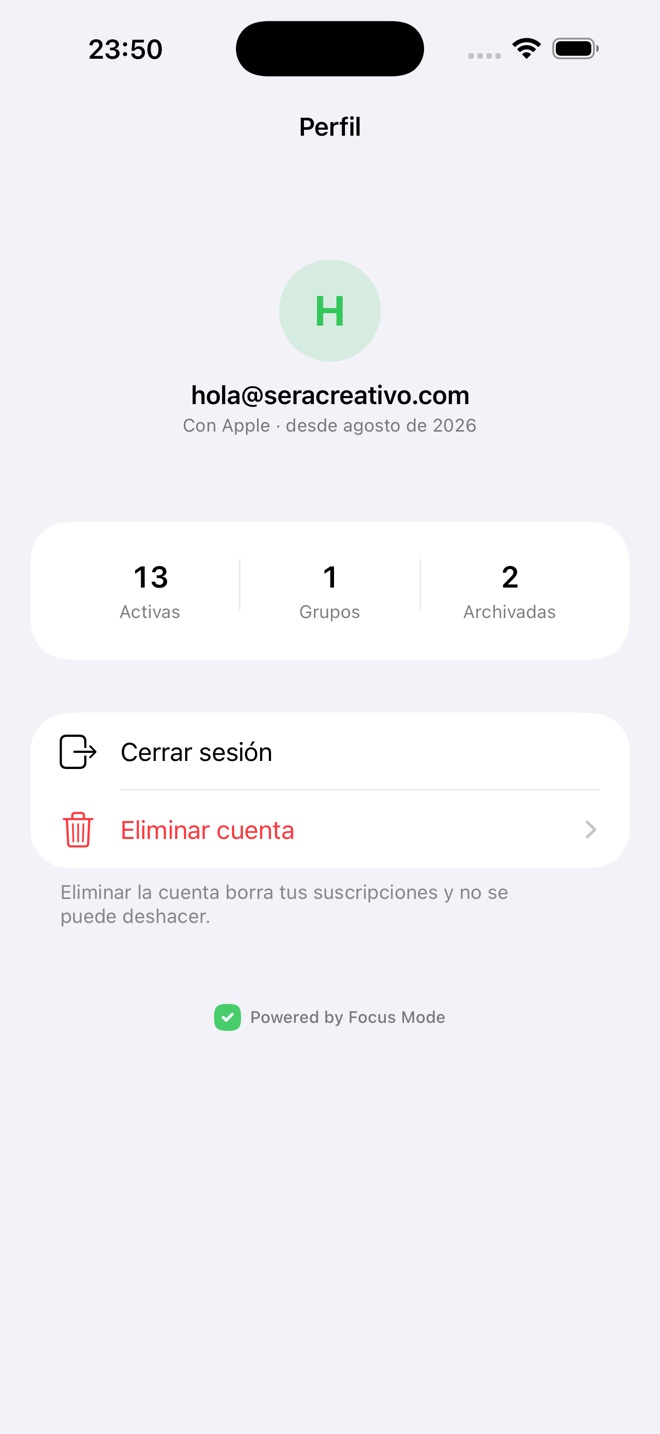
Apple sign-in, profile, an account deletion that says what you lose, and a discreet "Powered by Focus Mode" that accompanies without competing.
- Spanish and English
All copy into the catalog and none in the code: plurals are counted by the system and dates follow the phone’s language.
- Opening with data
A per-user on-disk cache. The loading spinner stops being the first thing you see.
Takeaways
A new product does not always need a new platform: the table, the account and the billing were already there, and what was missing was an app that answered a single question. In an app about money, honest numbers are the feature — the group that costs the greater of two figures, the total that never mixes currencies and the warning that does not block all come from the same rule: the app informs, it does not decide. And whatever can be bundled gets bundled: 3,613 logos inside the binary make the list readable at a glance on day one, with no network, no permissions and no request per row.