expression.
Editor editorial colaborativo
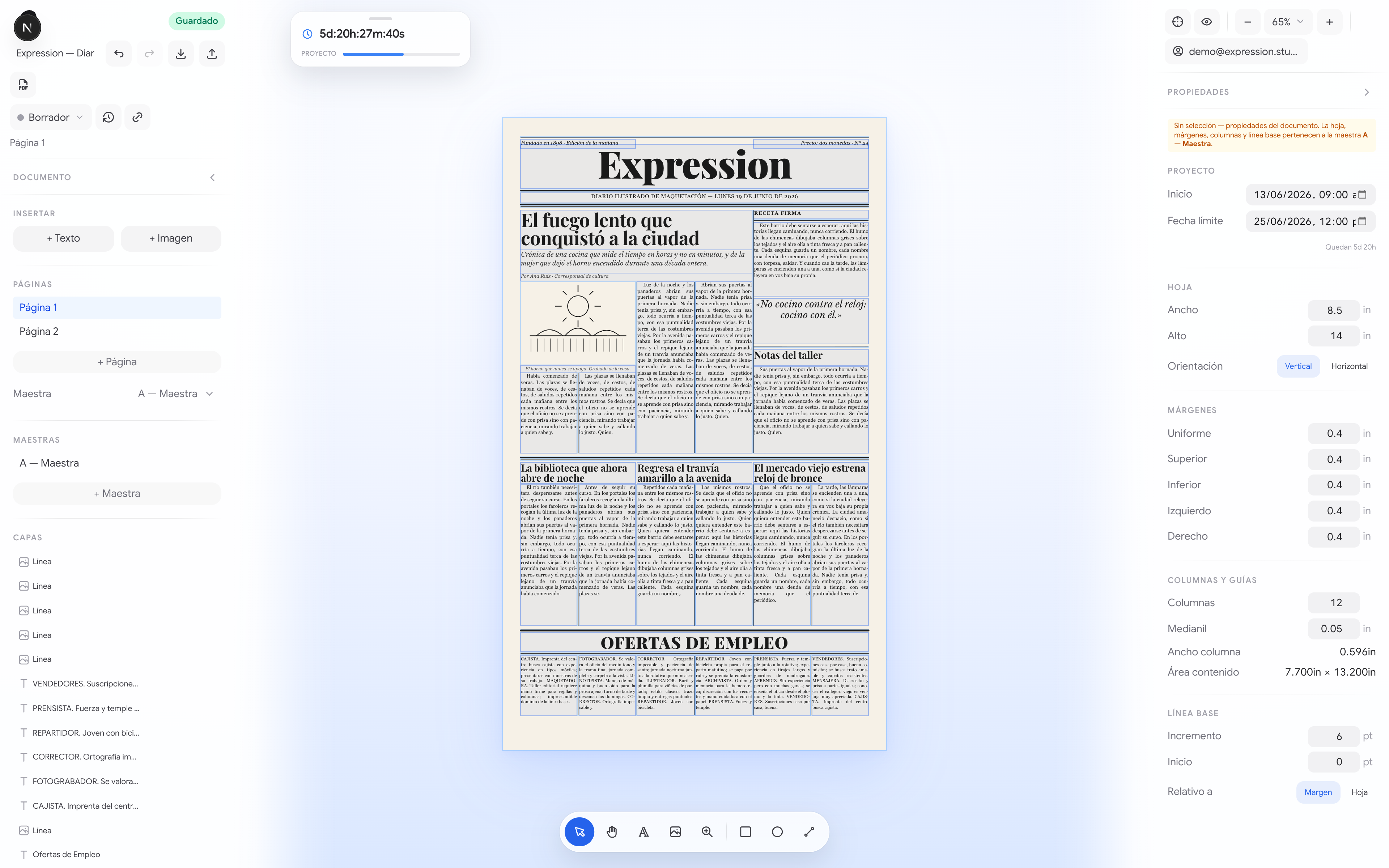
La maquetación profesional vive en apps de escritorio para una sola persona. Pero una redacción es un coro. expression lleva el rigor de InDesign al navegador y le añade lo que falta: cada parte del pliego se reparte a su responsable, que edita solo lo suyo —sin ver el resto, ni siquiera por la red. De borrador a imprenta, con briefings, deadlines e historial siempre a la vista.
Una redacción no es una persona
InDesign y Affinity son brillantes y profundamente mono-usuario: un archivo, un diseñador. Google Docs y Figma colaboran de maravilla, pero no saben de líneas base, medianiles ni pliegos. En medio queda el trabajo real de una revista —editores, redactores y diseñadores tocando partes distintas del mismo número, contra reloj— sin una sola herramienta que lo abrace.
Maquetación de escritorio, en una pestaña
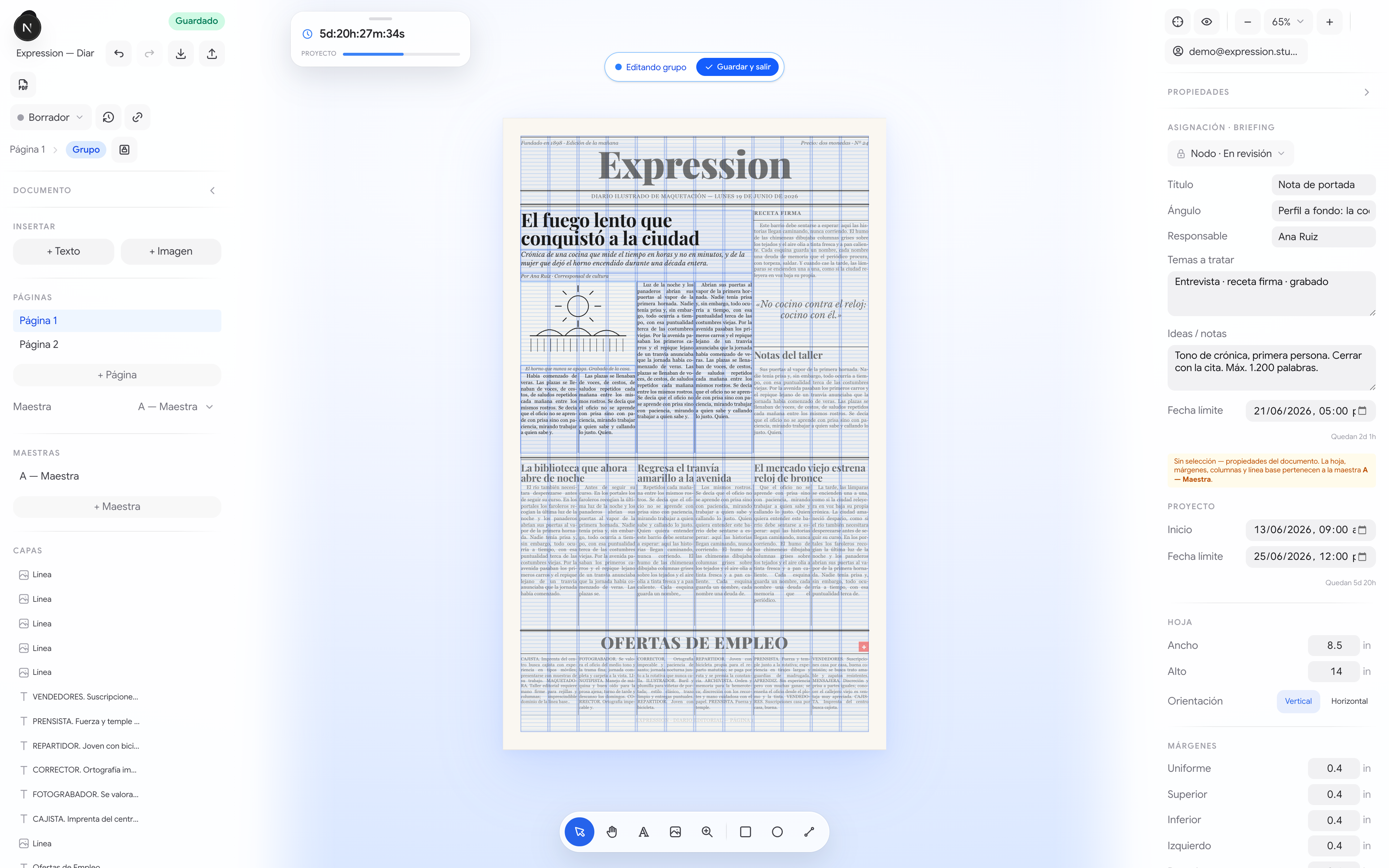
expression es un editor de pliegos que corre en el navegador con la ambición de una herramienta de escritorio: páginas maestras, columnas con medianil, rejilla de línea base, estilos de párrafo y carácter, texto enriquecido e imágenes. Encima, el sistema nervioso de una redacción: briefings, deadlines, estados editoriales y reparto del trabajo por nodos. Sin instalar nada.
- ✓Pliegos con páginas maestras multipágina
- ✓Columnas, medianil y rejilla de línea base (6pt)
- ✓Texto enriquecido con estilos de párrafo y carácter
- ✓Multi-selección, grupos y smart guides con imantado
- ✓Efectos de capa: blur, ruido, modos de fusión
- ✓Compartir por nodo con roles (ver / comentar / editar)
- ✓Flujo editorial con estados, briefings y deadlines
- ✓Export PDF vectorial e historial con checkpoints
El truco: compartir sin filtrar
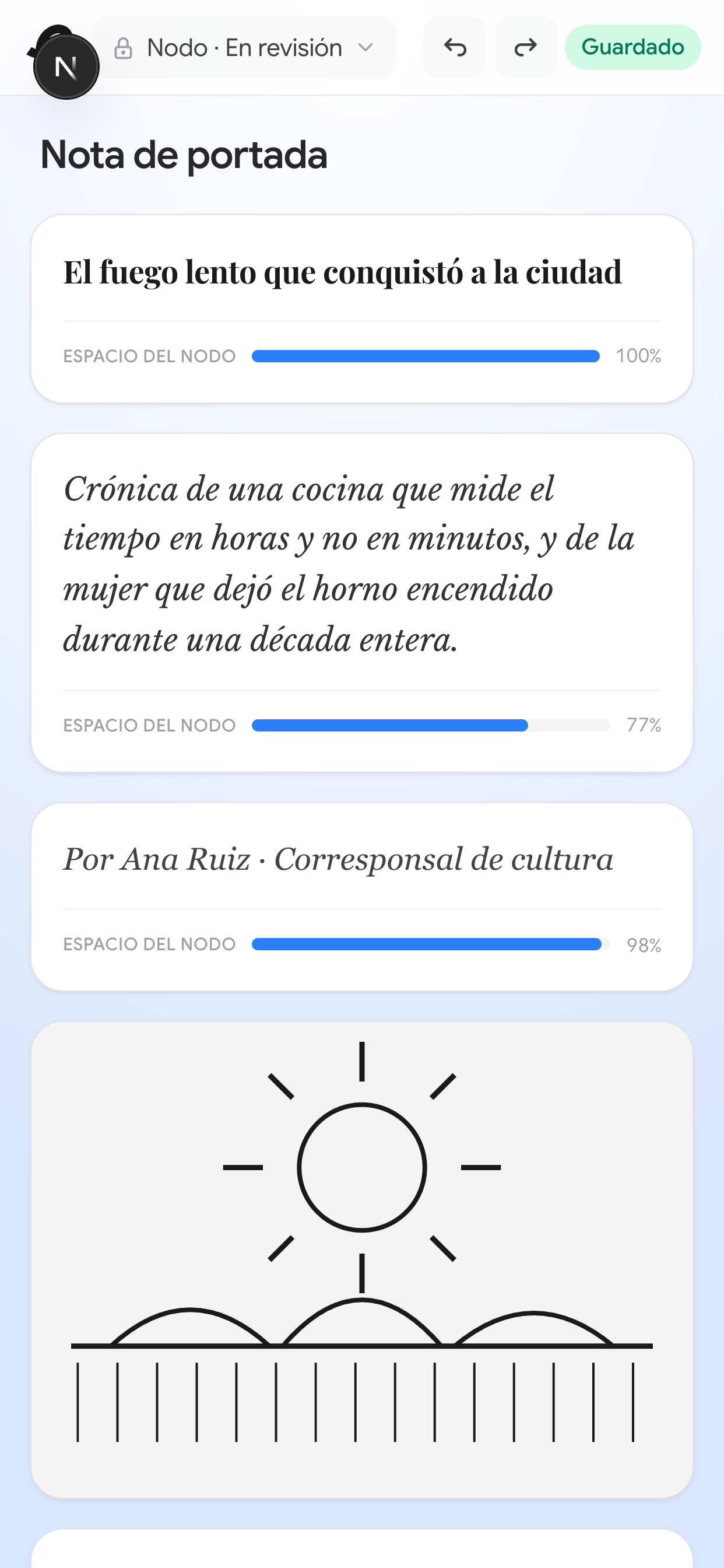
Compartir “solo una parte” suele ser una mentira piadosa: la interfaz esconde el resto, pero el documento entero viaja igual por la red. En expression, no. Cuando repartes un nodo, la frontera no está en la UI —está en la base de datos. Una función en Postgres construye un documento nuevo que solo contiene ese nodo; el invitado nunca recibe un byte de lo demás.
Lectura y escritura pasan por funciones SECURITY DEFINER validadas por token: proyectan solo el nodo al leer y fusionan solo el nodo al guardar. Granularidad real, no permisos de pega.
-- el invitado solo recibe los frames de SU nodo; lo demás no viaja
v_doc := jsonb_build_object(
  'pages', (
    select jsonb_agg(jsonb_set(pg, '{frames}', (
      select jsonb_agg(fr)
      from jsonb_array_elements(pg->'frames') fr
      where fr->>'groupId' = g        -- ← aquí vive la frontera
    )))
    from jsonb_array_elements(d.doc->'pages') pg
  )
  -- + masters y estilos; nunca los otros nodos
);Del lado del cliente, el mismo editor guarda en tres destinos —dueño, documento completo o un solo nodo— eligiendo la función correcta. Toda la diferencia cabe en una línea:
const fn = target.kind === "shared-group"
  ? "save_shared_group"       // fusiona SOLO ese nodo
  : "save_shared_document";   // documento entero
await supabase.rpc(fn, { p_token: token, p_doc: doc });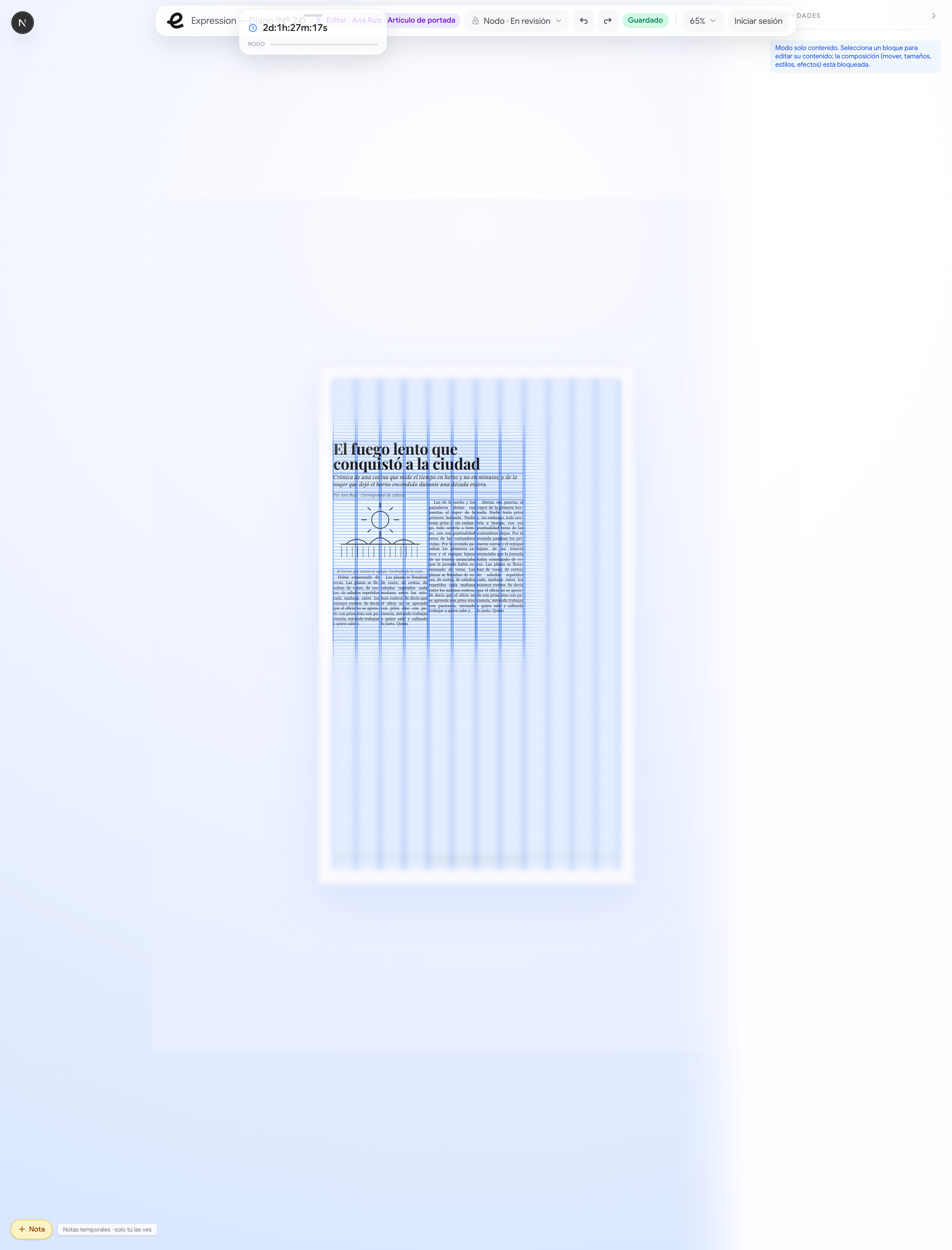
Permisos que se sienten
Antes de repartir, el dueño puede “verse como” cualquier rol y aislar un nodo: un foco ilumina esa parte y funde a negro el resto del lienzo. El permiso deja de ser una casilla y se vuelve una experiencia —ves exactamente lo que verá tu colaborador.
De borrador a imprenta
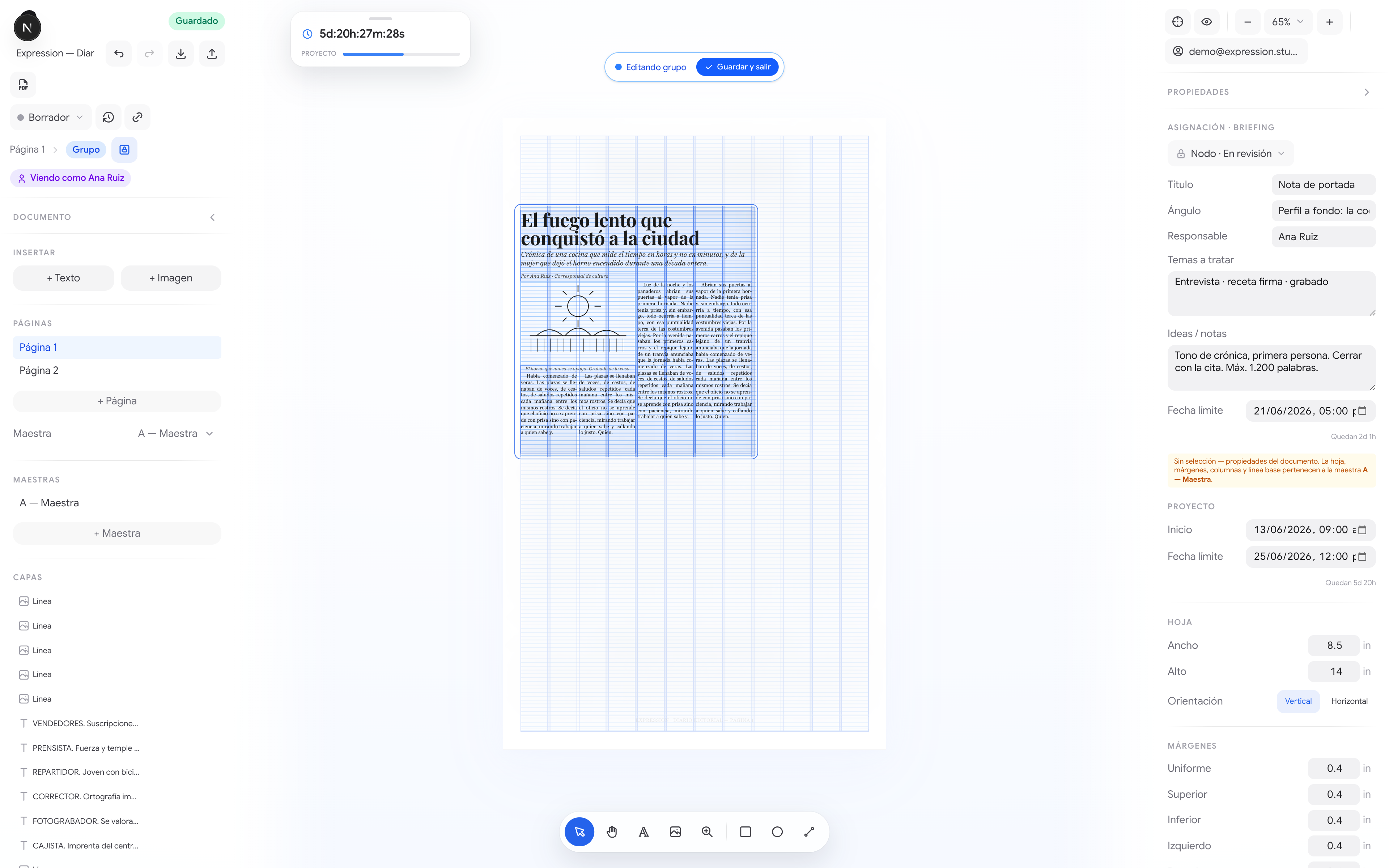
Cada nodo es una asignación con su briefing —ángulo, responsable, temas, deadline— y su estado. Los estados (Borrador → Revisión → Aprobado → Publicado) bloquean la edición cuando toca; el temporizador de cierre, siempre visible, cambia de color según aprieta la hora. El editor conoce el oficio, no solo las cajas.
Pulgadas, no píxeles
Un pliego no se mide en píxeles. expression trabaja en pulgadas y puntos (línea base de 6pt) y deriva toda la geometría —columnas, márgenes, imantado— de funciones puras. Mover una caja la pega a la columna y a la línea base. El detalle que lo hizo sentir “de verdad” fue imantar también al punto medio entre líneas.
// pegar a columnas y a la línea base es lo obvio.
// el matiz: imantar también al PUNTO MEDIO entre líneas base.
const mids = baselines
  .slice(0, -1)
  .map((y, i) => (y + baselines[i + 1]) / 2);
const snapY = [...baselines, ...mids];
El PDF es el editor, no una foto
Nada de rasterizar el lienzo. Una ruta de servidor abre la propia página de impresión con Chromium headless —reenviando tu sesión— y espera a que fuentes e imágenes estén listas antes de capturar. Sale un PDF vectorial, idéntico a la pantalla, listo para imprenta. El mismo código corre en tu Mac y en Vercel.
// solo cambia de dónde sale Chromium
return process.env.VERCEL
  ? puppeteer.launch({ args: chromium.args, executablePath: await chromium.executablePath() })
  : puppeteer.launch({ executablePath: systemChrome() });
// después: reenviar cookies, esperar fonts + imágenes, page.pdf()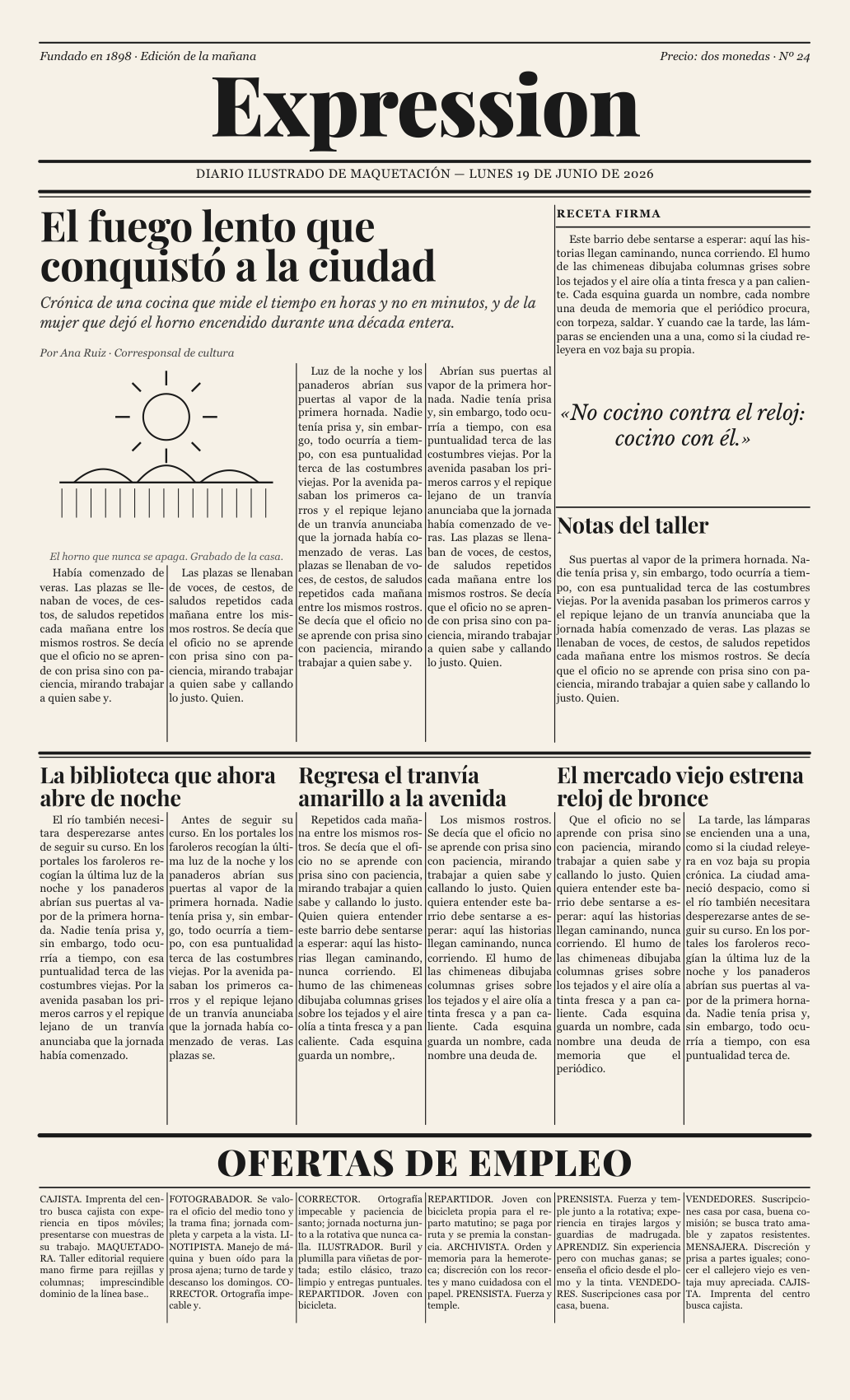
Una marca que se dibuja sola
La identidad no es un logo estático: es un único trazo de curva continua —la “e”— que se anima dibujándose y morfa entre figuras del oficio: texto, página, pluma, lápiz, cursor. Vive como datos, no como imagen, así que el mismo gesto fluye en cualquier color y tamaño.

// no es un PNG: es un trazo abierto que morfa entre figuras
export const EXPRESSION = {
  name: "expression",
  d: "M398,560 C483,557 527,470 583,360 …",  // la "e", una curva
};
// texto · página · pluma · lápiz · cursor — un gesto, otra forma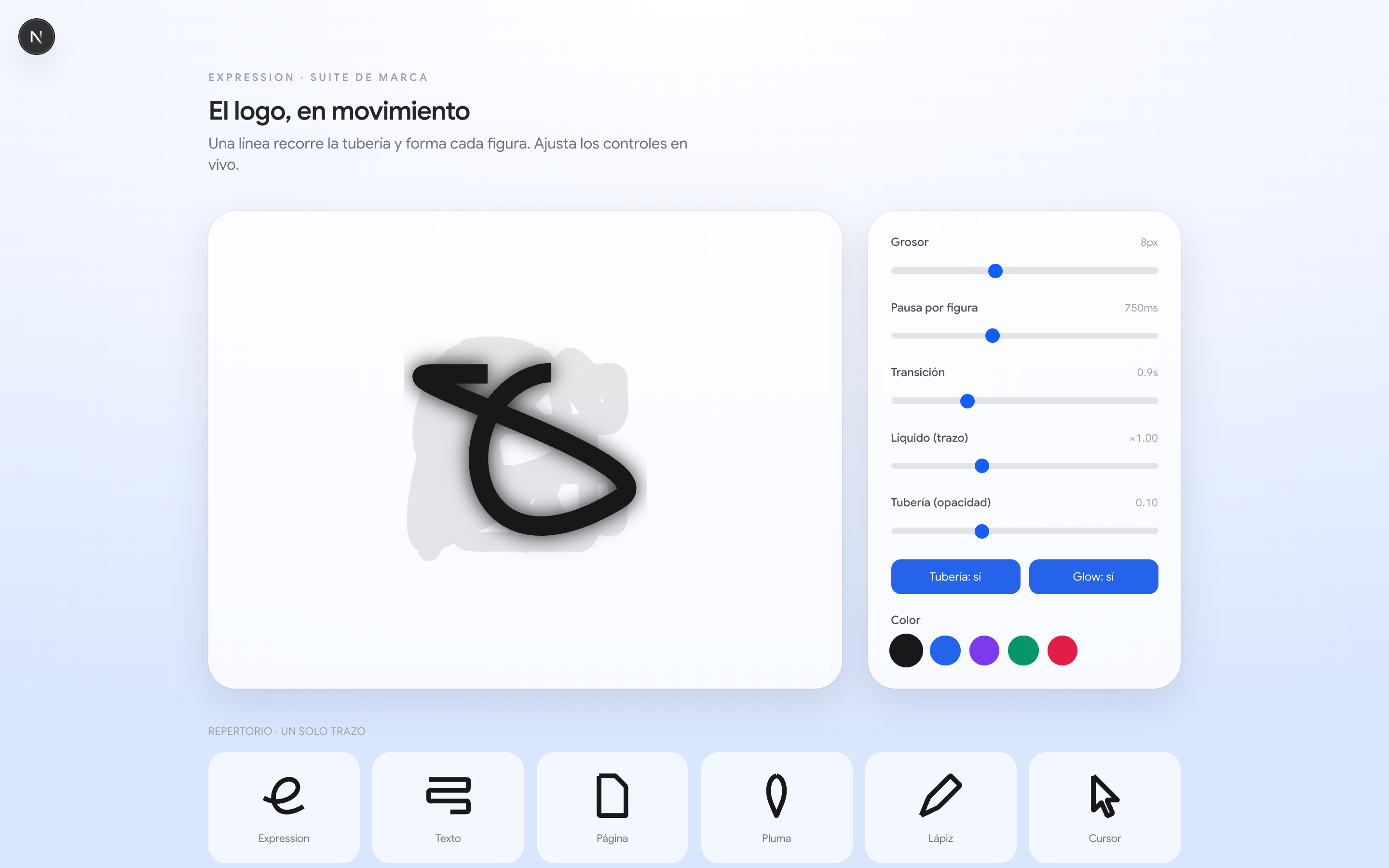
Cómo está hecho
Todo el documento es JSON puro, así que el editor se construyó local-first y el backend se conectó al final sin reescribir nada. Next.js 16 y React 19 al frente; Zustand + zundo para estado e historial; TipTap/ProseMirror para el texto rico; Supabase (Postgres, Auth, Storage y RPC) detrás; y Puppeteer para el PDF.
- El modelo y el lienzo
Documento como JSON puro + frames con drag/resize e imantado a columnas y línea base.
- Tipografía de imprenta
Páginas maestras, estilos de párrafo y carácter, texto enriquecido con TipTap.
- Grupos y permisos como experiencia
Multi-selección, grupos, simular rol y aislar un nodo con spotlight.
- El flujo de una redacción
Estados que bloquean la edición, briefings por nodo y deadlines siempre visibles.
- Backend y nodos airtight ⭐
Auth, persistencia, Storage y la proyección + merge scoped en la base de datos.
- PDF vectorial y marca generativa
Export con Chromium headless y la identidad de trazo único que morfa.
No es una demo
expression nació como la herramienta interna de mi propia revista. Se ganó su sitio en producción —números reales, maquetados por un equipo real— antes de abrirse a la comunidad como SaaS, gratis por ahora. No es un prototipo buscando un problema: es un problema que ya tenía, resuelto.