noise.
Editor de video on-device
Trabajas encima del crudo: el original nunca se toca y solo al exportar nace el video limpio.
Contexto
noise es un editor de video nativo para iOS/iPadOS que limpia automáticamente grabaciones habladas (reels, vlogs, tutoriales, talking-heads). En vez de cortar a mano, el usuario activa una serie de «correctores» que detectan y eliminan lo que sobra del audio —silencios, pausas largas, muletillas, repeticiones y tartamudeos— y, además, genera subtítulos automáticos quemados en el video.
Es una herramienta para agilizar el primer pase de limpieza —el más mecánico y tedioso— antes de pasar el material a la edición final. No sustituye a la suite de edición: le quita el trabajo aburrido.
Todo el procesamiento ocurre en el dispositivo: el audio nunca sube a la nube. Privacidad como feature, no como promesa.
El reto
El reto de arquitectura más grande: cinco correctores distintos tienen que combinarse y producir UN solo resultado que alimente a la vez el preview (AVPlayer) y el export (AVAssetExportSession). Si preview y export divergen, «lo que ves» deja de ser «lo que se guarda». A eso se suma detectar silencios sin librerías (leyendo PCM a mano), transcribir on-device con la API nueva de iOS 26 (sin el límite de 1 minuto del viejo SFSpeechRecognizer) y mapear dos líneas de tiempo —fuente y composición— porque los cortes reordenan el tiempo de todo lo anclado a él.
La solución
Una sola fuente de verdad para los cortes: todos los correctores aportan los tramos que quieren eliminar y un único método (computeCuts) los une y deriva el complemento → los rangos a conservar. Esa misma lista la consumen el preview y el exporter. La detección de silencios se hace por energía (RMS→dB por ventana de 20 ms) sin ML ni terceros, y «pausas largas» reusa el mismo detector con otros parámetros: un corrector entero gratis.
/// Único sitio donde se decide qué se corta. Cada corrector activo aporta
/// tramos; se unen y se deriva el complemento (lo que se conserva).
/// Preview y export consumen exactamente la misma lista → WYSIWYG.
private func computeCuts() async {
    var cuts: [ClosedRange<Double>] = []
    if removeSilences    { cuts += await silenceCuts(url: sourceURL) }
    if removeLongPauses  { cuts += await longPauseCuts(url: sourceURL) }
    if removeFillers     { cuts += fillerCuts() }
    if removeRepetitions { cuts += repetitionCuts() }

    removedSegments = Self.merge(cuts)                  // une solapados
    keepRanges = Self.complement(of: removedSegments,   // lo que se conserva
                                 within: 0...duration)
}

// El mismo keepRanges viaja a preview y export como CMTimeRange:
private var keepCMRanges: [CMTimeRange]? {
    keepRanges.map { CMTimeRange(
        start: CMTime(seconds: $0.lowerBound, preferredTimescale: 600),
        end:   CMTime(seconds: $0.upperBound, preferredTimescale: 600)) }
}
El preview ES el export: la misma AVMutableComposition alimenta lo que ves y lo que se guarda. Cero sorpresas al exportar.
La app
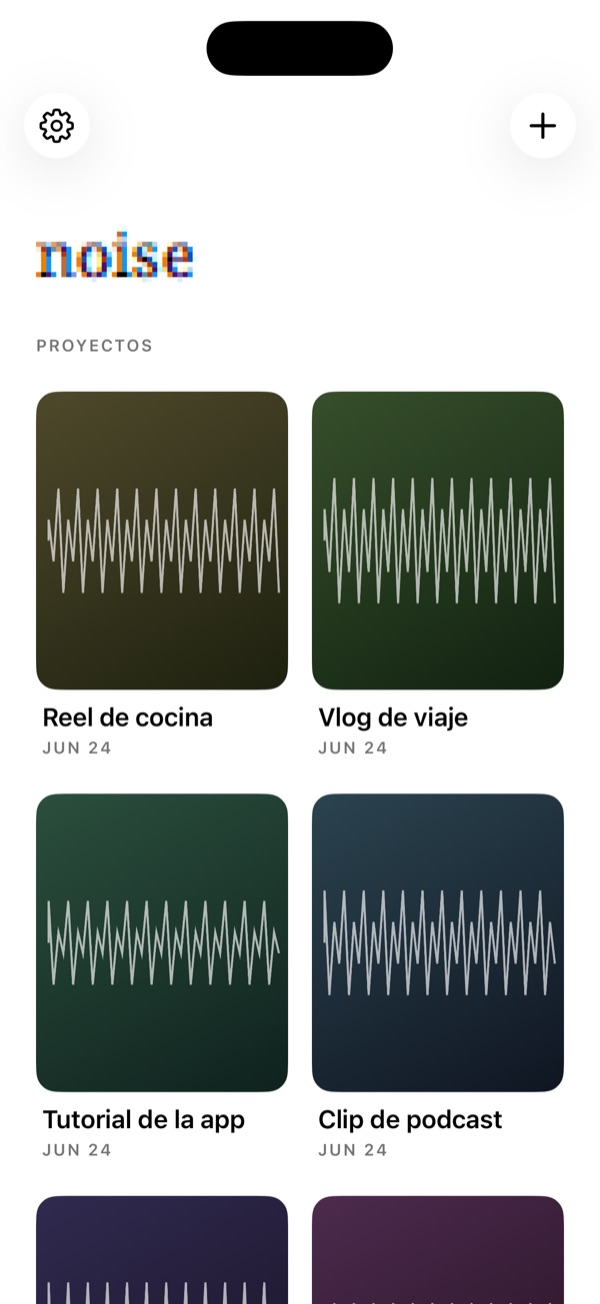
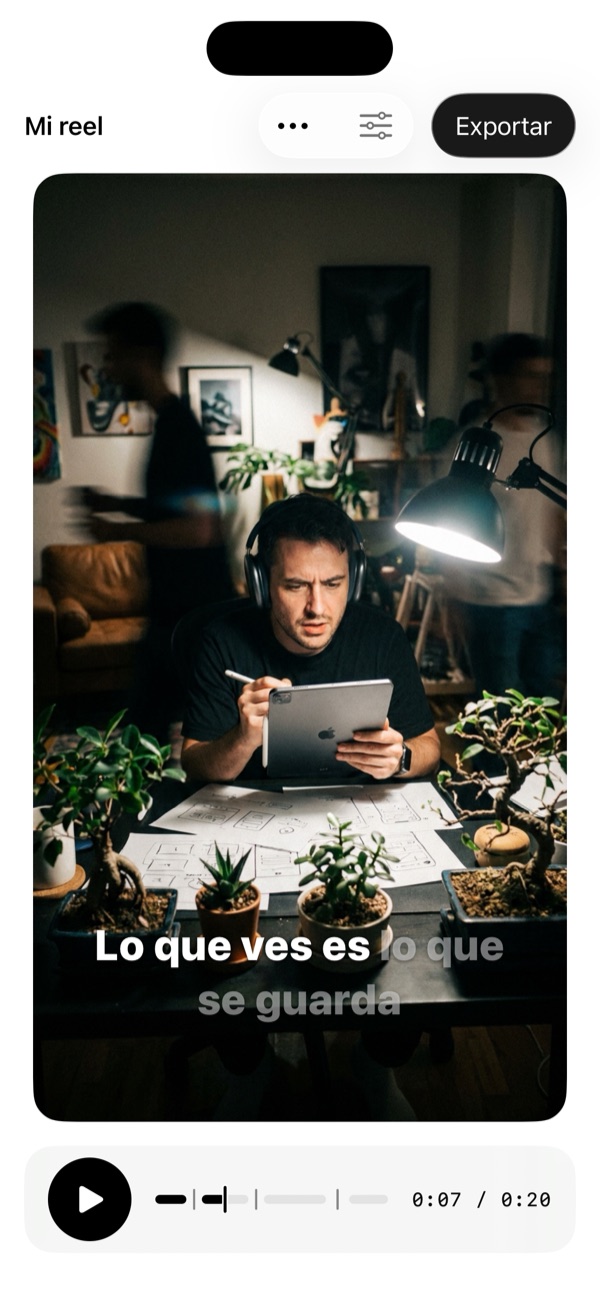
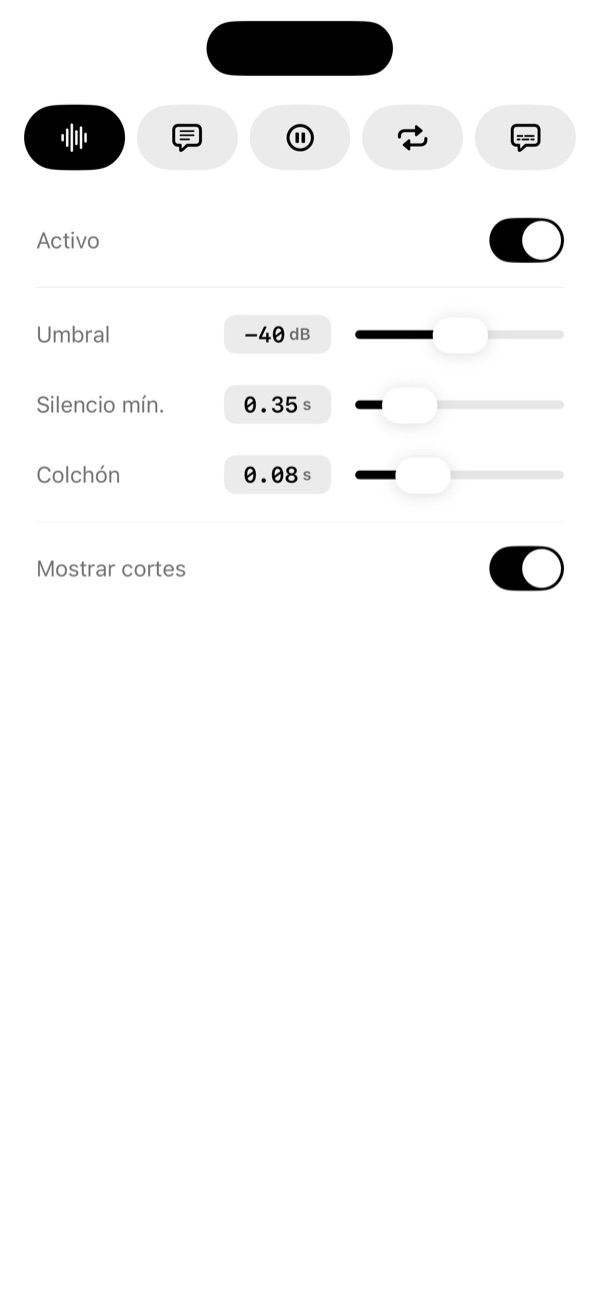
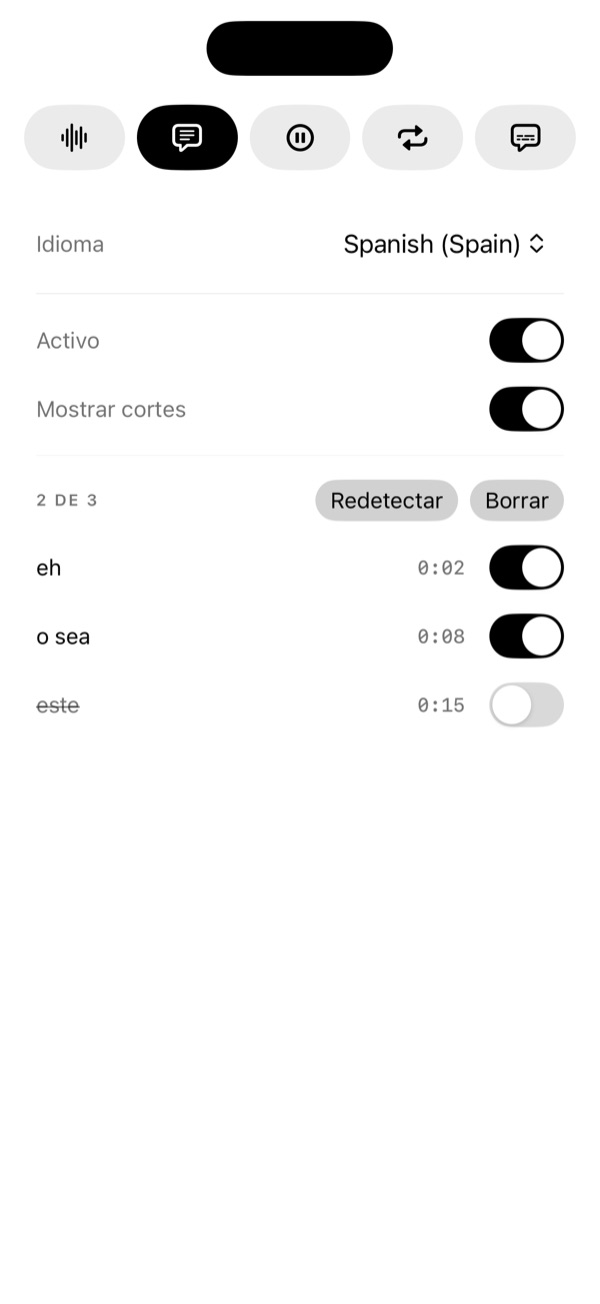

Arquitectura y stack
100% nativo, cero dependencias de terceros. SwiftUI para toda la UI; AVFoundation para lectura PCM, composición y export; Speech (iOS 26) con SpeechAnalyzer para transcripción on-device con timing por palabra; FoundationModels (Apple Intelligence) on-device para repeticiones semánticas opcionales; Core Animation para quemar subtítulos animados. Persistencia ligera en JSON local: un proyecto es una referencia al video de Fotos más sus ajustes —no se copia el video.
// Nivel de energía de una ventana de muestras PCM (20 ms) en decibelios.
// El mismo cálculo sirve para "pausas largas" cambiando los parámetros.
func rmsDB(_ s: ArraySlice<Int16>) -> Float {
    guard !s.isEmpty else { return -120 }
    var sum = 0.0
    for v in s { let f = Double(v) / 32768.0; sum += f * f }
    let rms = (sum / Double(s.count)).squareRoot()
    return rms > 0 ? Float(20 * log10(rms)) : -120
}Cinco correctores combinables en un solo pipeline de cortes; añadir uno nuevo es una rama más. La arquitectura está pensada para crecer.
Apple Intelligence, on-device
Las repeticiones se detectan en dos capas. Una capa determinista (n-grama) garantiza un suelo de calidad en todo dispositivo; encima, una pasada opcional y gated de Apple Intelligence capta redundancias semánticas que el n-grama no ve («quiero ir… mejor vamos»). El modelo on-device devuelve los índices a eliminar mediante salida estructurada (guided generation), y nunca corta solo: cada sugerencia entra en una lista revisable.
import FoundationModels

// Capa de IA OPCIONAL y gated: solo corre si el dispositivo la soporta.
static var isAvailable: Bool {
    if case .available = SystemLanguageModel.default.availability { return true }
    return false
}

// Salida estructurada que el modelo está OBLIGADO a producir:
@Generable
struct RedundantSpanList {
    @Guide(description: "Tramos redundantes a eliminar; vacío si no hay ninguno")
    var spans: [RedundantSpan]
}

@Generable
struct RedundantSpan {
    @Guide(description: "Índice de la primera palabra a eliminar, inclusive")
    var start: Int
    @Guide(description: "Índice de la última palabra a eliminar, inclusive")
    var end: Int
}Entregables
- ✓Corrector de silencios (RMS→dB configurable)
- ✓Corrector de pausas largas (acota a un máximo)
- ✓Corrector de muletillas (léxico es/en, lista revisable)
- ✓Corrector de repeticiones (n-grama + Apple Intelligence opcional)
- ✓Subtítulos automáticos on-device (timing por palabra)
- ✓6 animaciones de subtítulo (karaoke, una palabra, pop…)
- ✓Preview WYSIWYG (preview = export)
- ✓Edición no destructiva (referencia a Fotos)
Cómo creció
- Arranque + port del motor
El motor de edición (silencios + export) se portó desde un proyecto previo, ideas365.
- Pipeline unificado + monocromo
Punto de inflexión: unificar el cálculo de cortes y refactorizar el acento de marca a tinta monocroma adaptativa.
- Cuatro correctores de audio
Silencios, pausas, muletillas y repeticiones, apilados sobre el pipeline unificado.
- Repeticiones con Apple Intelligence
Capa de IA opcional y gated sobre el detector determinista n-grama.
- Subtítulos libres
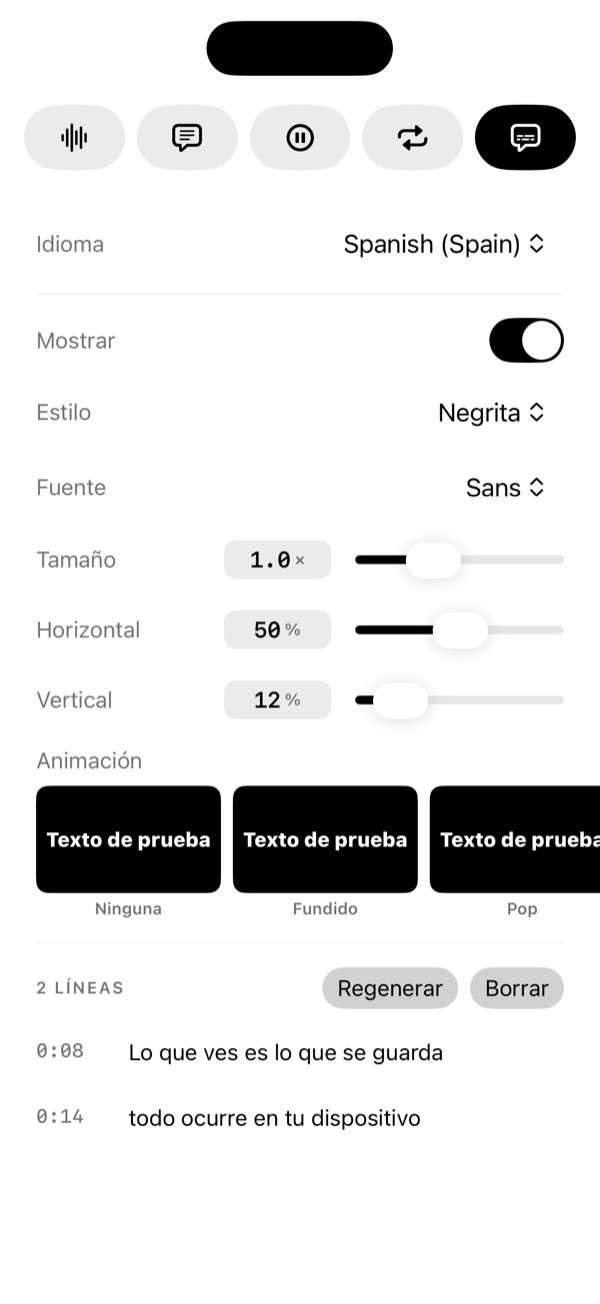
Posición, tamaño y animación libres por porcentaje; idénticos en preview y export.
- Branding + TestFlight
Ícono con Icon Composer y subida a TestFlight para pruebas.
Aprendizajes
Una sola fuente de verdad evita la divergencia preview/export. Un buen primitivo bien parametrizado rinde más de una feature (pausas = silencios con otros parámetros). Dos capas (determinista + IA) > una sola: un suelo determinista garantiza calidad universal y la IA añade los casos difíciles solo donde está disponible. Y en una app cuyo contenido ES el video, el acento como tinta —no como color de marca— deja respirar el contenido y da CTA de máximo contraste gratis.